
Police System
This Police Job is the most advanced FiveM police script, built for ESX, QBCore, and Qbox. It delivers a complete law enforcement ecosystem including MDT & dispatch, evidence collection, prison management, surveillance systems, traffic enforcement, fleet and personnel management, and advanced investigative tools—all in one ultra-optimized package. Perfect for serious RP servers looking to upgrade their police department with a professional, feature-rich law enforcement system.
See Police System in Action
Get a quick look at how our script works—features, performance, and real in-game action. See what makes it stand out and how it can level up your server.
Stay Updated on New Releases and Discounts
Join our Discord to get instant news about updates, fresh script releases, and limited-time deals.
Built as a Complete Police System
Sky Police Job is designed as an all-in-one package for serious RP servers. Instead of combining separate law-enforcement scripts, paid add-ons, or missing core systems, you get a complete department setup in one resource that is actively maintained and expanded.
All-in-One Package
Everything your police faction needs is built into one system, from field interactions and investigations to prison, MDT, management, storage, fleet tools, and surveillance.
No Extra Purchases Needed
No missing core mechanics, no DLC model, and no need to buy extra scripts just to make your police department feel complete and professional.
Weekly Improvements
We ship regular updates, fix reported issues continuously, and keep expanding the system with new features based on real server feedback.
Active Customer Support
Our support is active, responsive, and focused on helping server owners and communities get the most out of the system.
Monthly
Access the complete Police Job system with flexible monthly billing. Ideal for testing or short-term projects.
19.99 €
15.99 €
/month incl. VAT
- Full Access to All Features
- Lifetime Updates
- 24/7 Discord Support
Lifetime
Most PopularPay once, use forever. Best value for long-term servers or serious projects that want full control and peace of mind.
79.99 €
63.99 €
incl. VAT
- Full Access to All Features
- Lifetime Updates
- 24/7 Discord Support
Jobs Bundle
Best ValueGet Ambulance Job, Police Job, and Mechanic Job together in one discounted package for a complete core roleplay setup.
239.99 €
191.99 €
incl. VAT
- Ambulance Job
- Police Job
- Mechanic Job
Feature Overview
Jump straight to the part you want to explore.
Radial ActionsEvidence SystemSpeedcamsVehicle RadarTicket PrinterWheel ClampJail SystemJail JobsJail BreakCommunity ServiceHelicamMDT TabletDispatch & MapPanic & PingExclusion ZonesAnkle MonitorGPS TrackersCCTV CamerasBody & DashcamsCitizen & Vehicle RegistryMDT DocumentsPublic FormsOn/Off Duty SystemMulti-Job SupportNext-Gen Boss MenuStorage & SuppliesProp PlacementCloakroomGarage & Vehicle Shop
Radial Actions
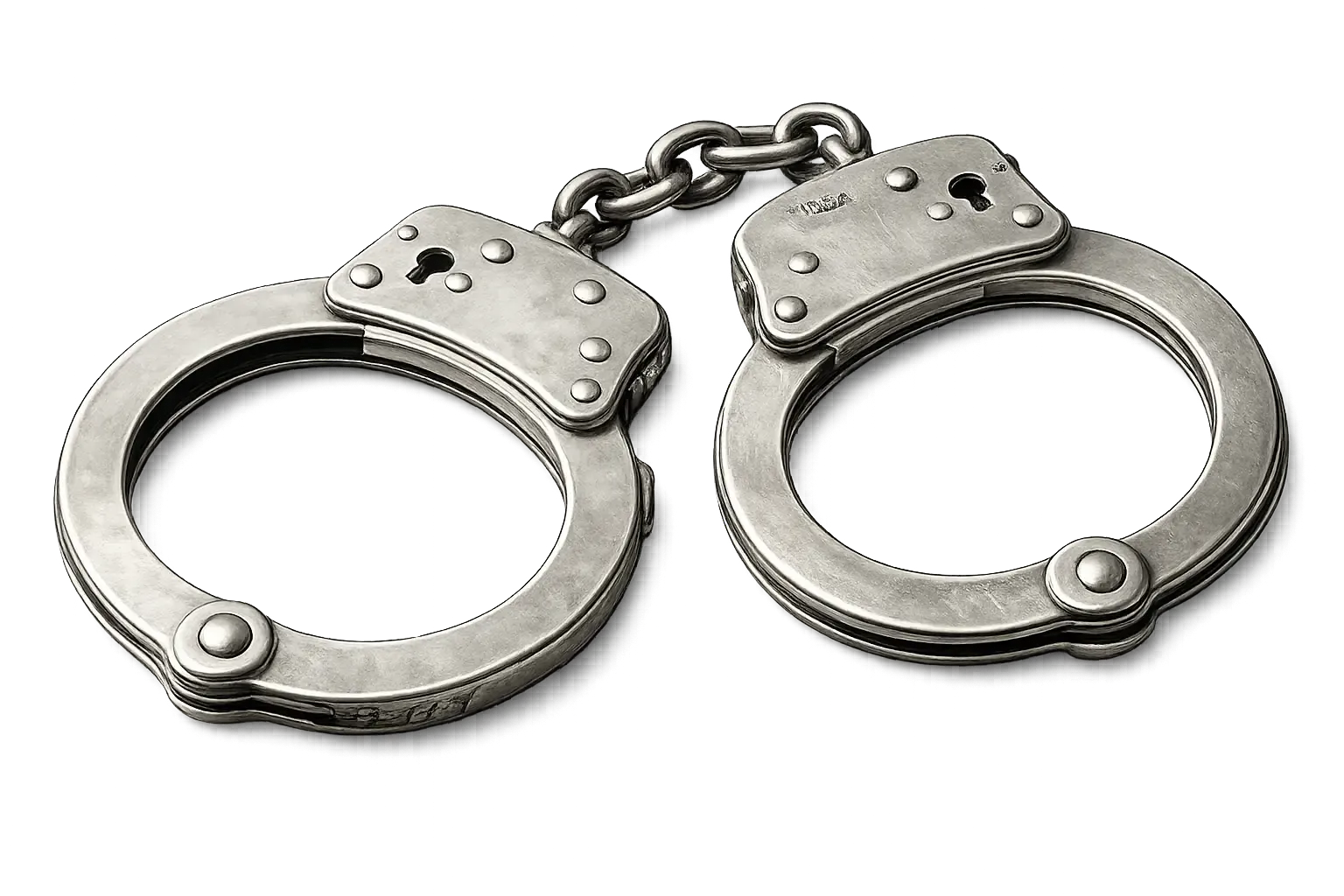
Control suspects with a fully immersive restraint and escort workflow. Officers can cuff players using context-based animations, physically escort them with realistic movement, and place them into or remove them from vehicles — all seamlessly handled through the integrated radial interaction menu.
- Players can be cuffed in two distinct ways depending on their behavior. If the suspect has their hands up, a compliant cuffing animation plays. If they resist, an aggressive takedown cuff animation is triggered, creating believable and reactive arrest scenarios.
- Once restrained, handcuffs appear as a physical prop attached to the player’s wrists. The cuffs remain visible at all times, reinforcing the restrained state with clear visual feedback for all nearby players.
- Officers can escort cuffed suspects on foot. The escorted player’s body reacts naturally, with legs moving realistically while walking or running, ensuring immersive and believable transport.
- Cuffed players can be placed into the rear seats of police vehicles and later removed. Entry and exit use proper animations, allowing officers to securely transport suspects between locations.
- All restraint, escort, and transport actions are performed through the unified radial interaction menu, which serves as the central hub for officer interactions and integrates seamlessly with many other police features.
Evidence System
Investigate crime scenes with a complete forensic workflow. Detect, collect, and analyze multiple evidence types, build your biometric database through interactive testing, and account for suspects actively attempting to cover their tracks.
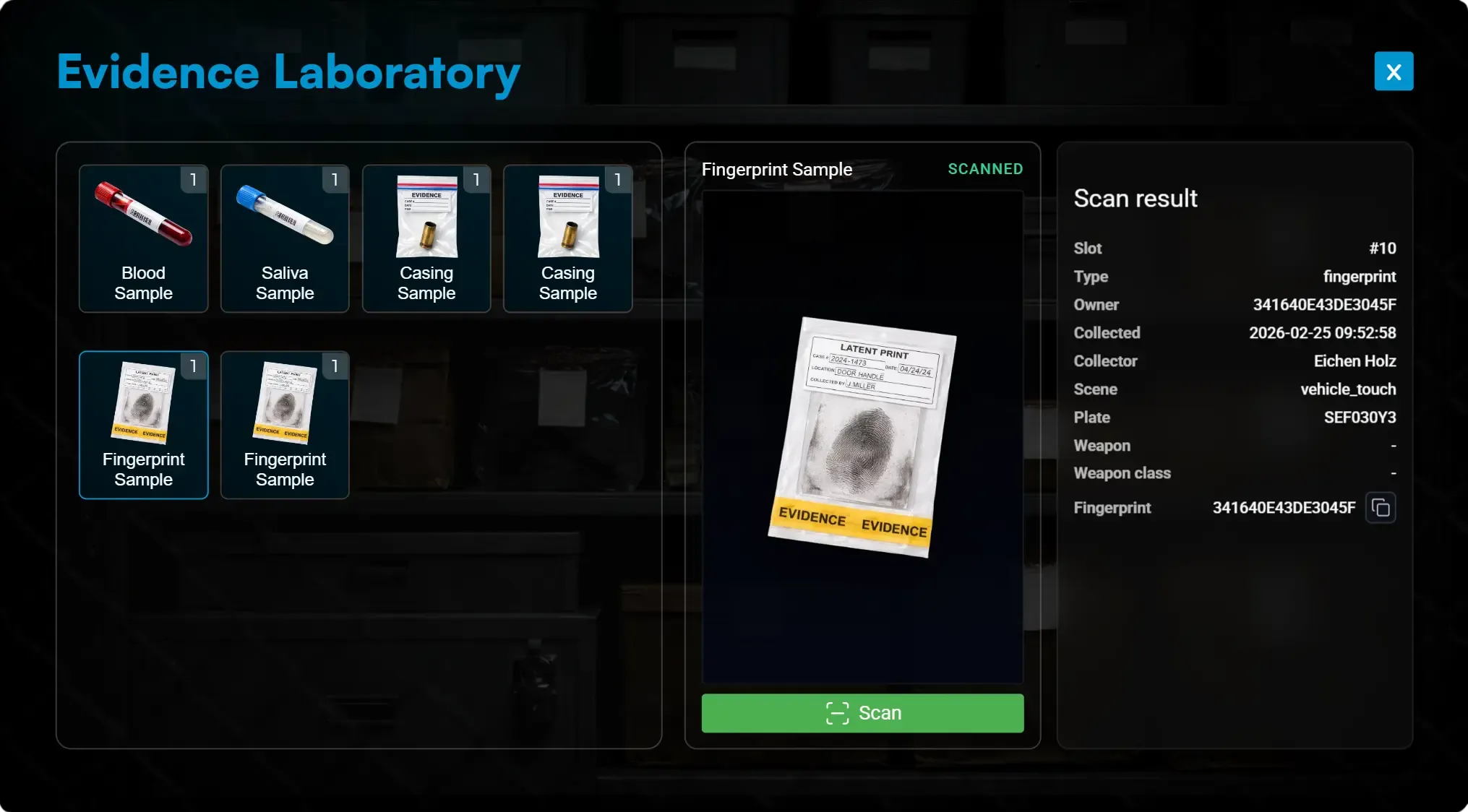
- Players leave fingerprints in vehicles when not wearing gloves. Officers can collect these using a fingerprint kit and analyze them in the evidence laboratory to get a unique fingerprint ID, which can be searched in the police database.
- When players are injured, they leave blood drops on the ground which can only be spotted using a flashlight. Officers can collect the blood using a blood kit and analyze it in the lab to retrieve DNA and identify the individual.
- Firing weapons leaves bullet casings at the scene. Officers must locate them using a flashlight, collect them, and process them in the laboratory to link ballistic evidence to investigations.
- Officers can scan fingerprints or collect DNA directly from players using a realistic scanner and saliva test system with immersive UI and animations. Players must confirm the test unless they are cuffed, allowing police to build and expand their criminal database realistically.
- Criminals can avoid leaving fingerprints by wearing gloves and can destroy blood evidence using hydrogen peroxide, allowing them to clean crime scenes and prevent forensic identification.
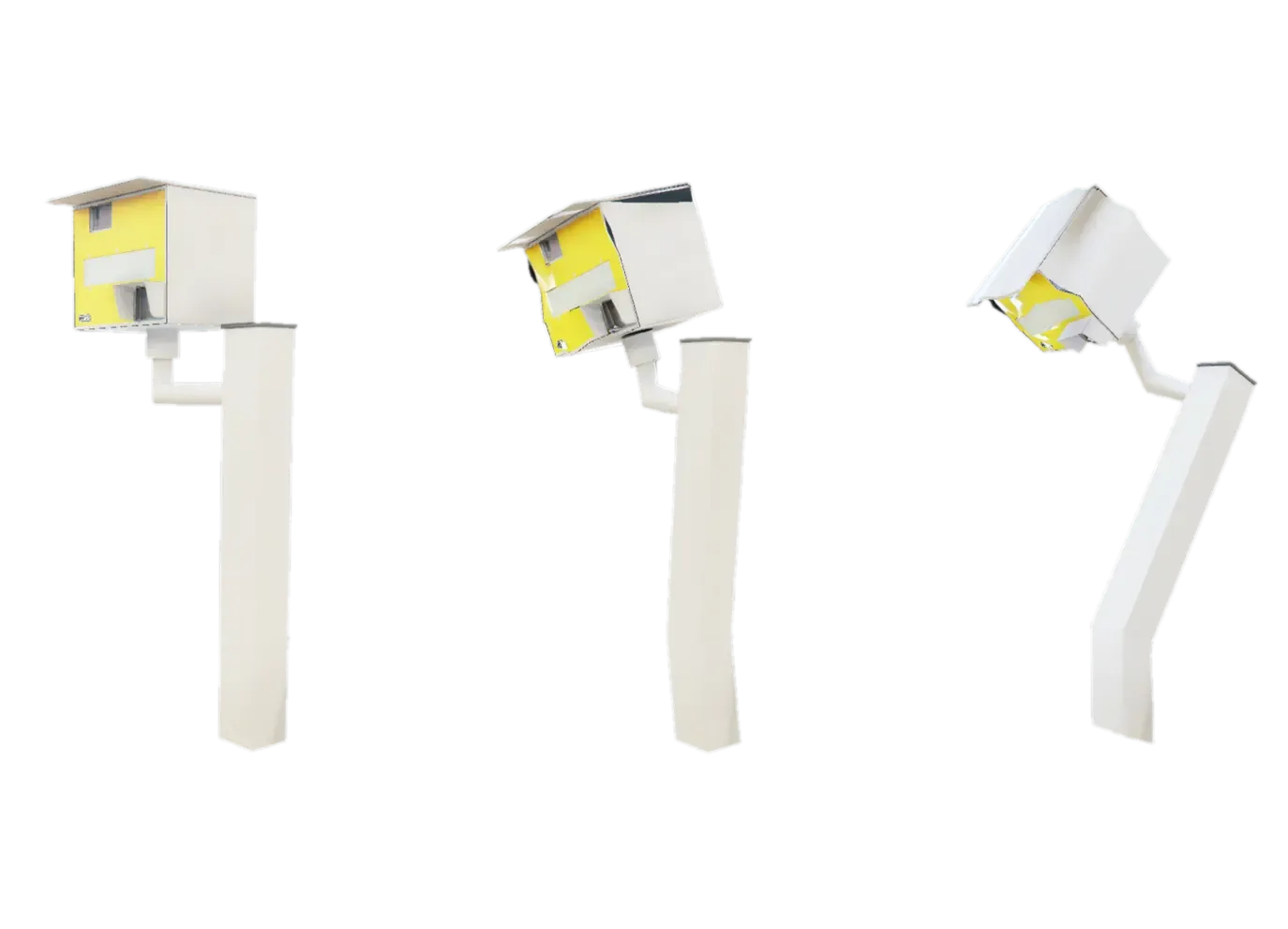
Speedcams
Control traffic enforcement dynamically with deployable speed cameras. Officers can place cameras anywhere, capture speeding violations, review evidence through their tablet, and maintain equipment integrity while players attempt to sabotage it.
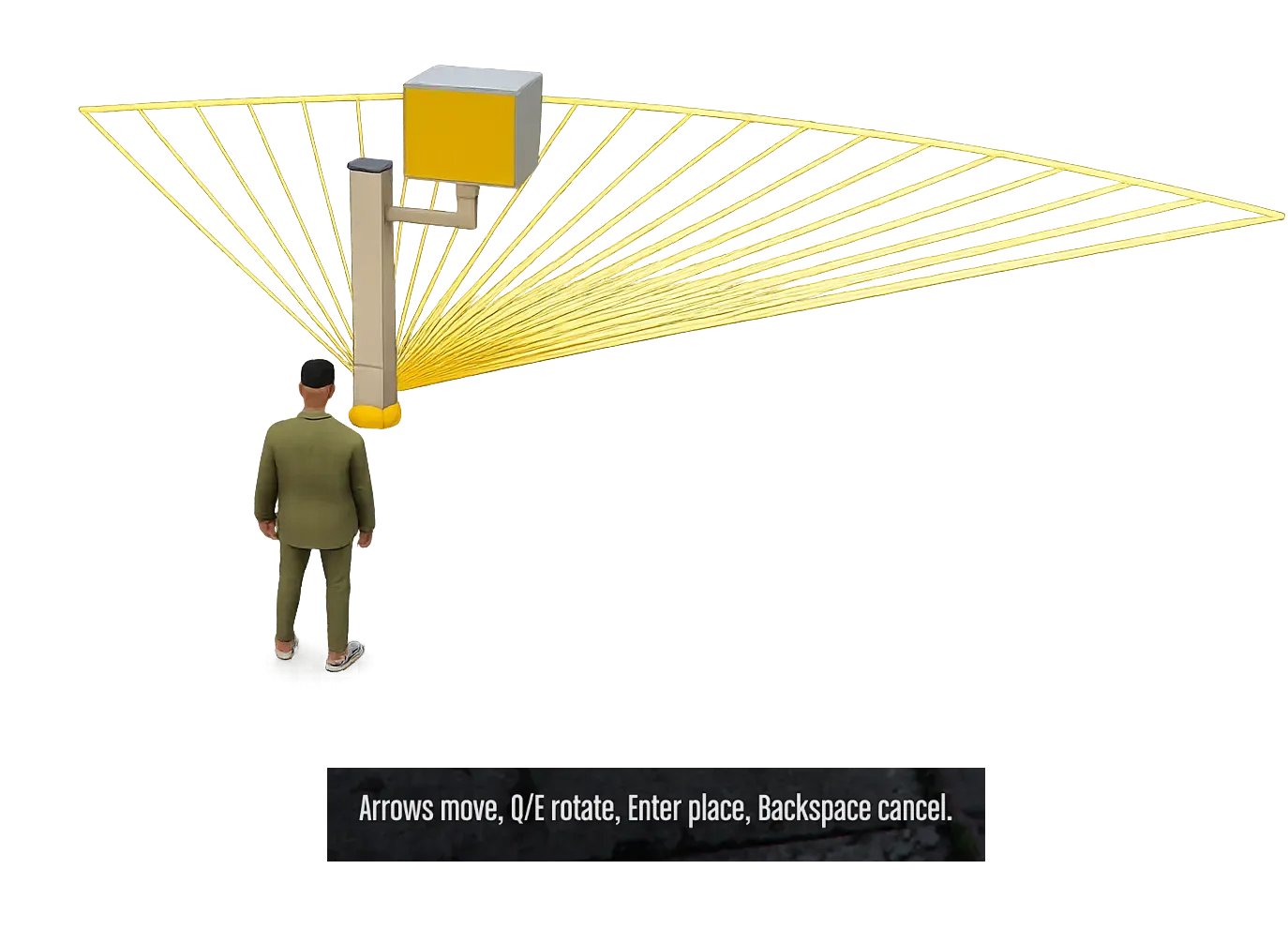
- Officers place speedcams directly onto the map using a dedicated item. While positioning, the active capture radius is previewed to ensure accurate coverage. Cameras only record vehicles traveling in the direction they are facing.
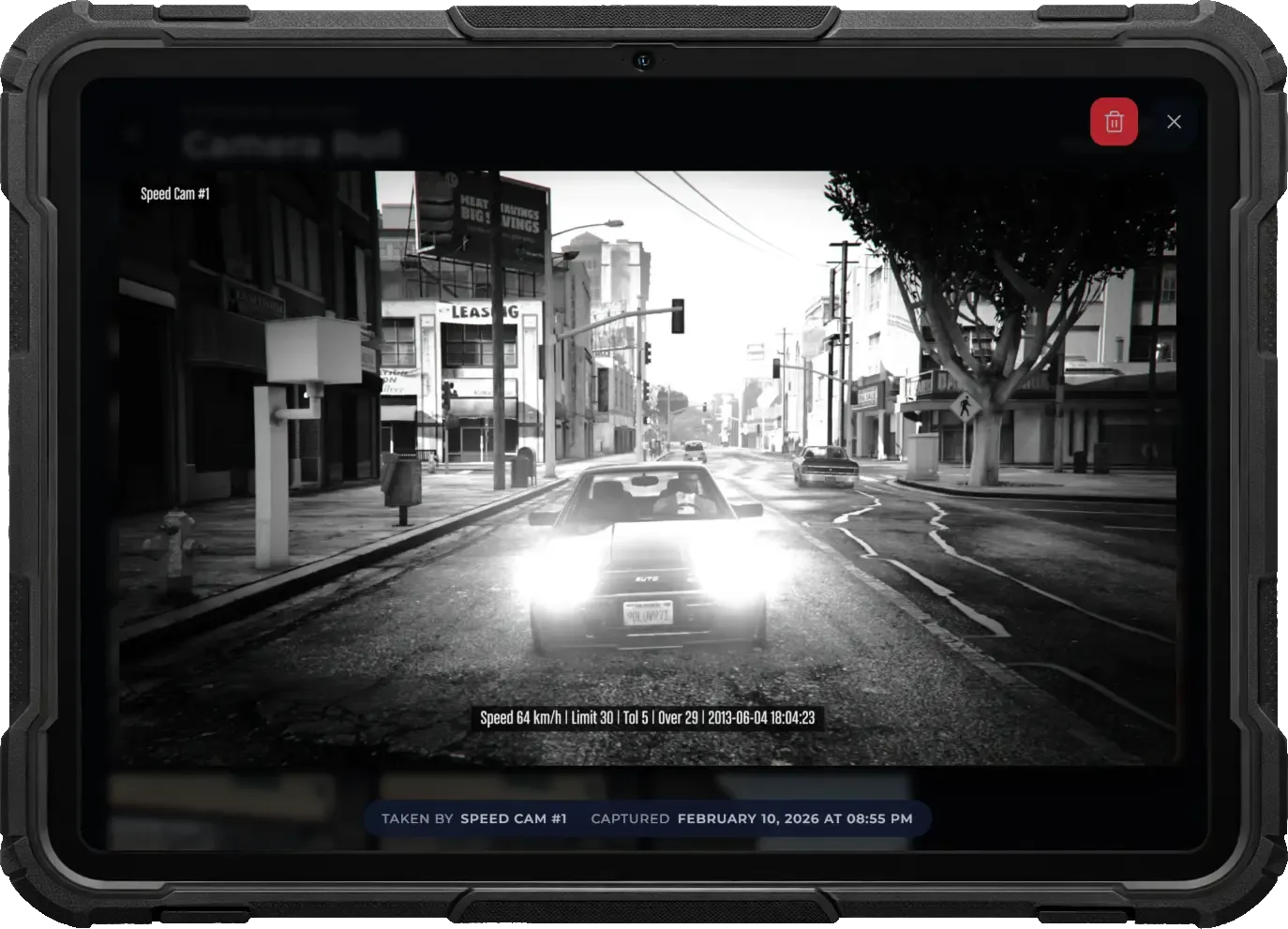
- Vehicles exceeding the configured speed limit trigger a red flash — just like real-world speed traps — notifying the driver of the infraction. The system captures a clear photo showing the vehicle plate and driver.
- Captured photos are stored in the police tablet where officers can investigate violations and issue fines manually. Alternatively, automatic ticketing can be enabled through configuration for fully automated enforcement.
- Players can damage speedcams, visually reflected through custom damaged props. Destroyed units stop recording entirely until repaired by police, encouraging maintenance and counterplay.
- Speedcams double as surveillance devices and can be accessed through the CCTV tablet app, allowing officers to monitor live feeds alongside other camera systems.
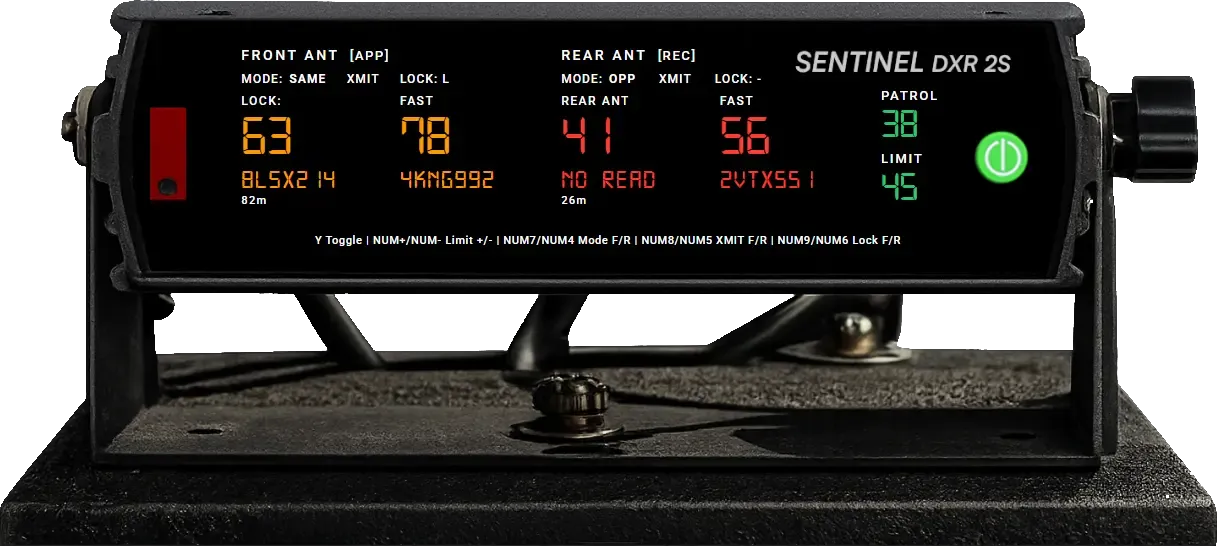
Vehicle Radar
Equip patrol vehicles with a fully featured dual-antenna radar system for immersive traffic enforcement. Track vehicles in real time, lock violators, enforce speed limits, and operate collaboratively — all through a realistic in-car interface.
- Front and rear antennas scan independently with selectable same-direction, opposite-direction, or combined modes. Officers can transmit or hold each antenna separately and instantly view target speed, distance, plate, and approach or recede direction.
- The system automatically identifies the strongest vehicle and fastest secondary target. Officers can manually lock targets or enable optional fast-lock to instantly capture vehicles exceeding a configured speed threshold.
- Radar speed limits can be adjusted live with configurable ranges and increments. When a tracked vehicle exceeds the limit, the HUD provides audible beeps and warning notifications.
- Radar data syncs automatically between driver and passenger, with optional passenger control for cooperative operation.
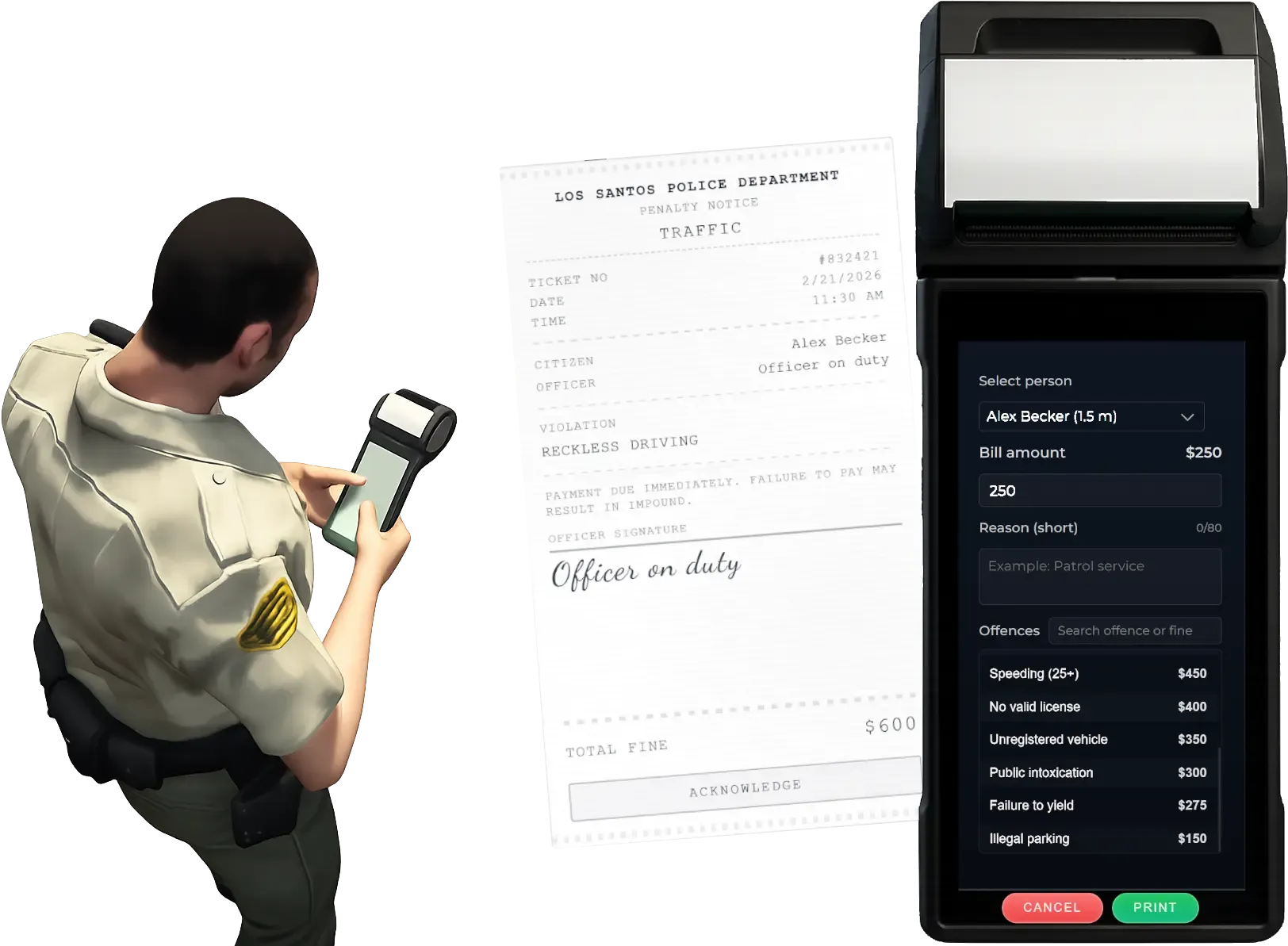
Ticket Printer
Issue fines on the spot with a realistic handheld ticket printer. Officers open a printer-style UI, pick a configured offence from the tablet or enter a custom reason and amount, and hand the player a lifelike on-screen ticket. All fines are saved and processed through your billing system.
- Using the printer triggers a realistic animation while the officer holds a custom ticket printer prop. The device remains visible while navigating the menu, creating believable roadside enforcement roleplay.
- Access a realistic receipt-printer UI designed for fast interaction during traffic stops, maintaining immersion while allowing officers to issue fines efficiently.
- Select predefined offences configured in the tablet app with automatic amounts and reasons, or enter a custom fine value and description for flexible, scenario-based enforcement.
- Offenders receive a lifelike ticket on their screen showing all details. The fine is automatically saved and processed through your billing system for reliable tracking and payment handling.
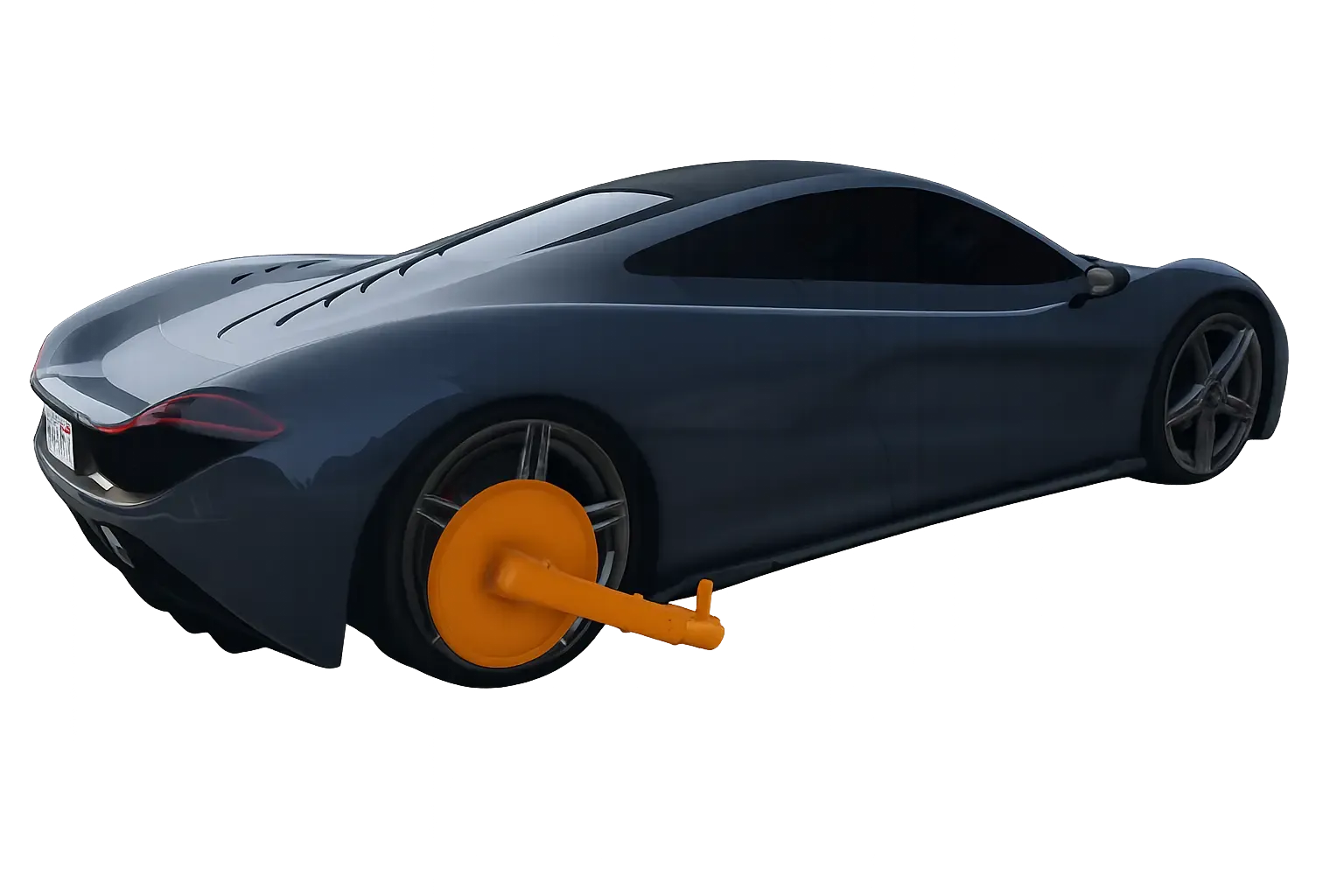
Wheel Clamp
Immobilize vehicles with a fully interactive wheel clamp system. Officers can attach a visible clamp prop to any vehicle wheel, preventing movement until it is officially removed—or illegally cut off at a cost.
- Officers can attach a wheel clamp to any vehicle, instantly preventing it from being driven. This allows enforcement of unpaid fines, illegal parking, or ongoing investigations.
- The clamp appears as a detailed custom prop attached directly to the wheel, making the restriction clearly visible to all players and enhancing roleplay realism.
- Players can attempt to remove the clamp using a welder, but the intense heat causes the tyre to burst. The clamp falls off, but the wheel will be damaged.
Jail System
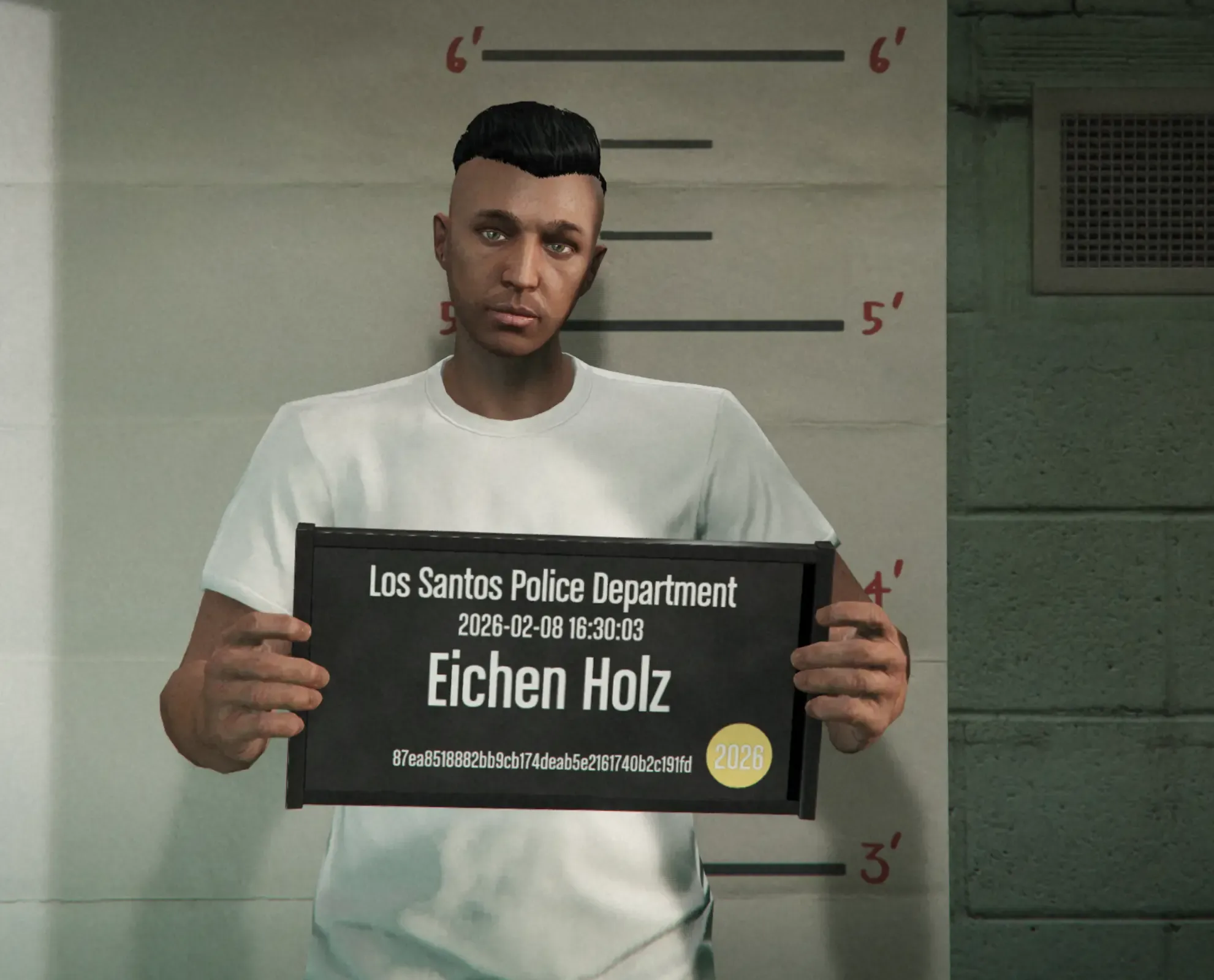
Handle arrests end-to-end with an immersive incarceration system. Process suspects through a jail terminal, manage their sentence from the police tablet, and keep facilities functional with solitary confinement, meals, and medical support.
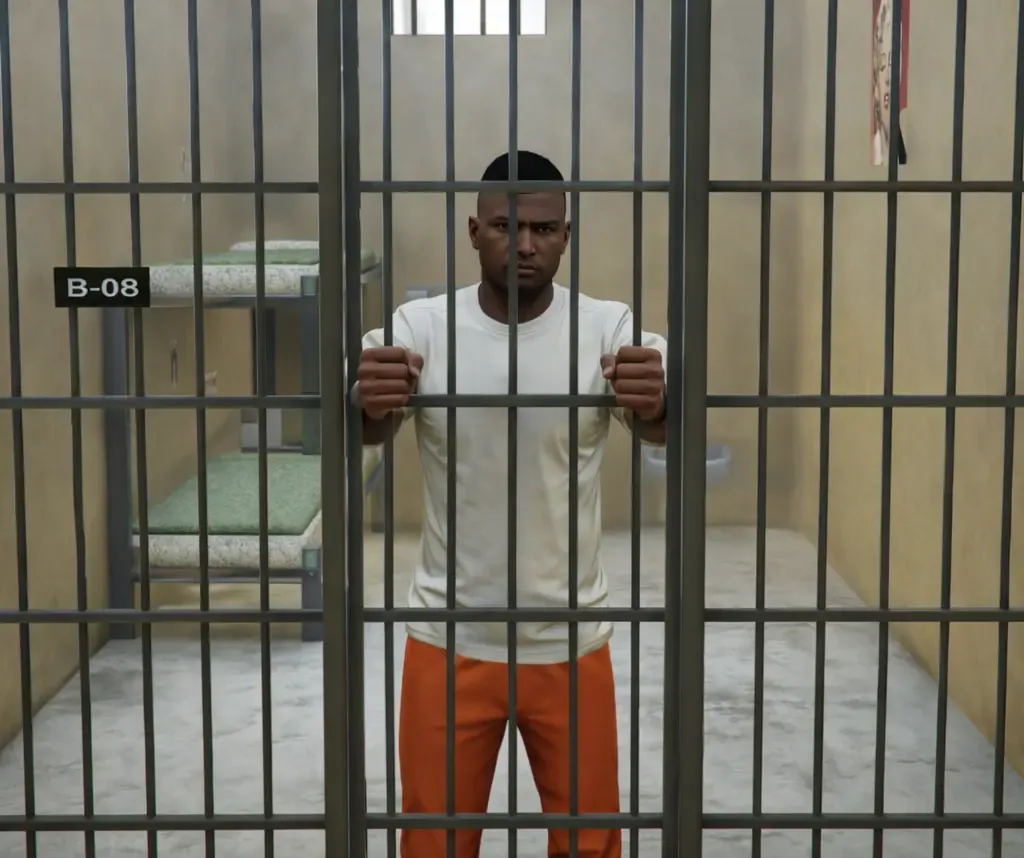
- Officers imprison players through a dedicated terminal by selecting a duration. The system automatically swaps them into a prisoner outfit, removes items and job access, and restores everything upon release.
- Entering prison triggers a cinematic mugshot cutscene. The captured image is stored and attached to the inmate profile within the police tablet.
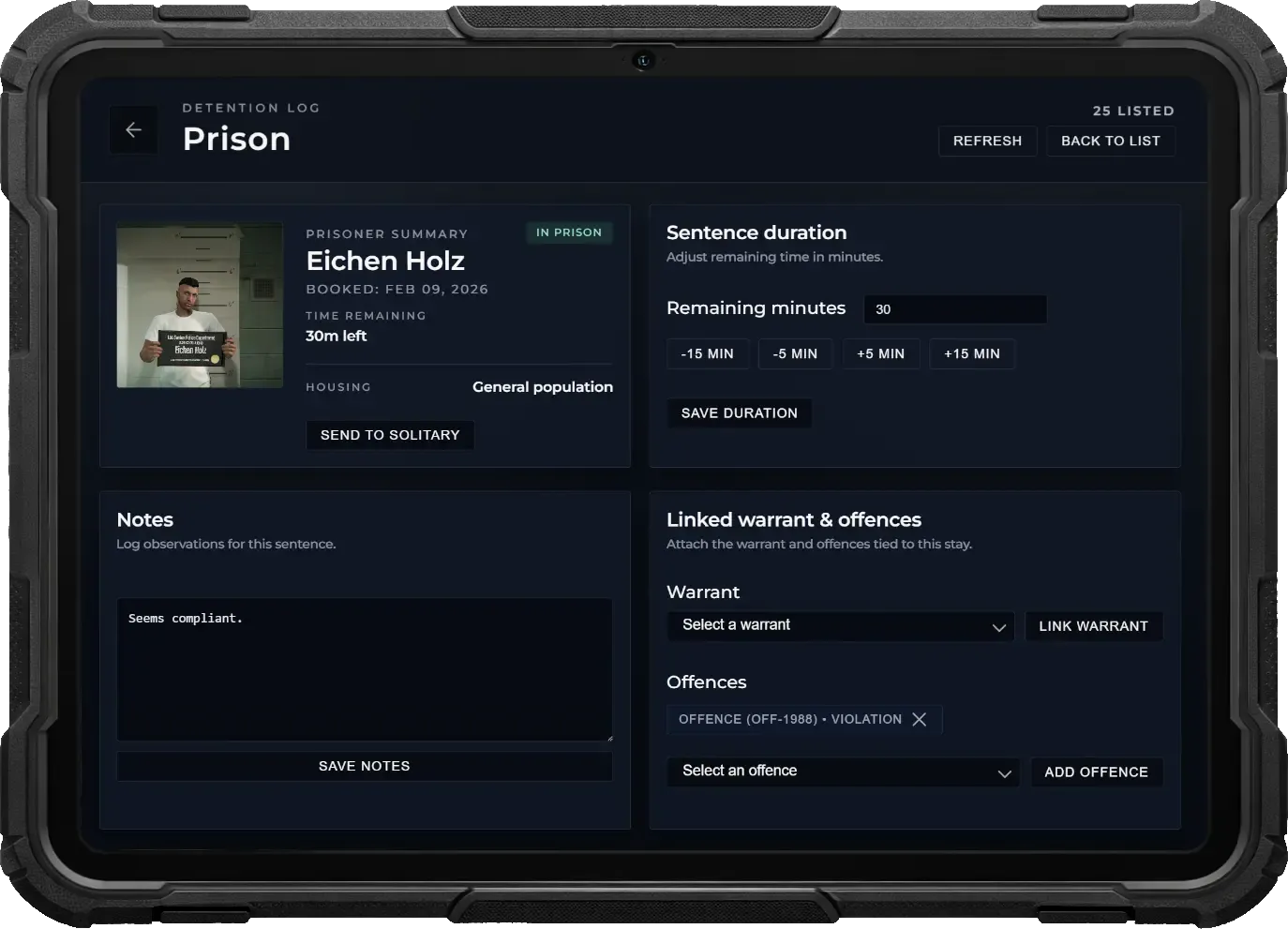
- Tablet integration lets staff view inmates and mugshots, adjust sentence duration, link warrants or offences, send to solitary and add administrative notes — all in one place.
- Place custom solitary cells anywhere in the facility. Confined players remain locked inside the cell space until released by staff.
- Inmates can claim free meals at the canteen on a timed interval, while an on-site doctor NPC can heal or revive them if needed.
Jail Jobs
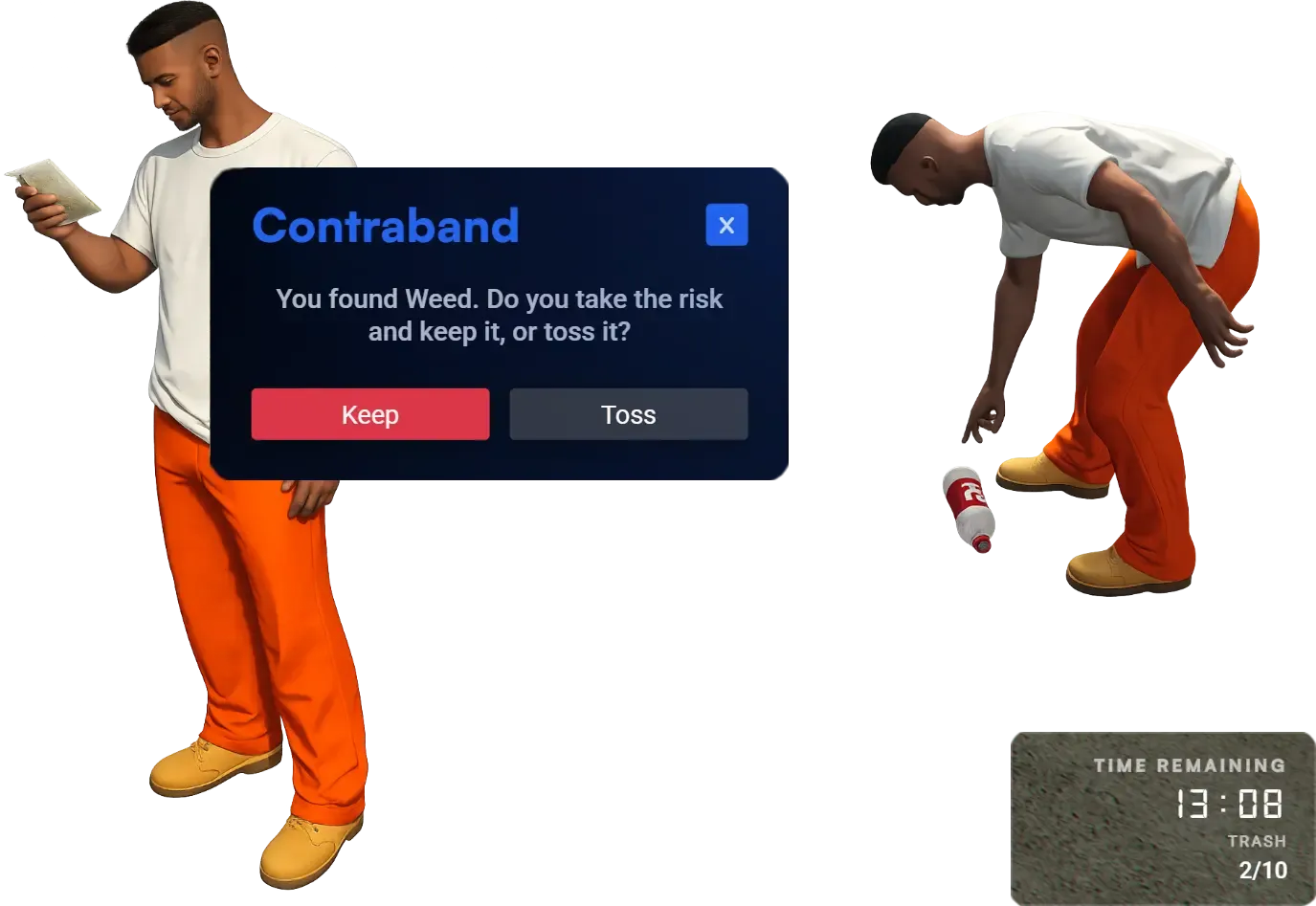
Give inmates meaningful activities that reduce sentence time while introducing risk–reward gameplay. Prisoners can work assigned jobs, shorten their duration, or gamble on smuggling contraband under staff supervision.
- Inmates can take on prison jobs to reduce their remaining time. Tasks are accessible through job points and reward participation with measurable sentence reductions.
- Players clean the yard by collecting trash, but may occasionally discover illegal contraband such as weed packs. They must decide whether to risk keeping it or dispose of it to stay compliant.
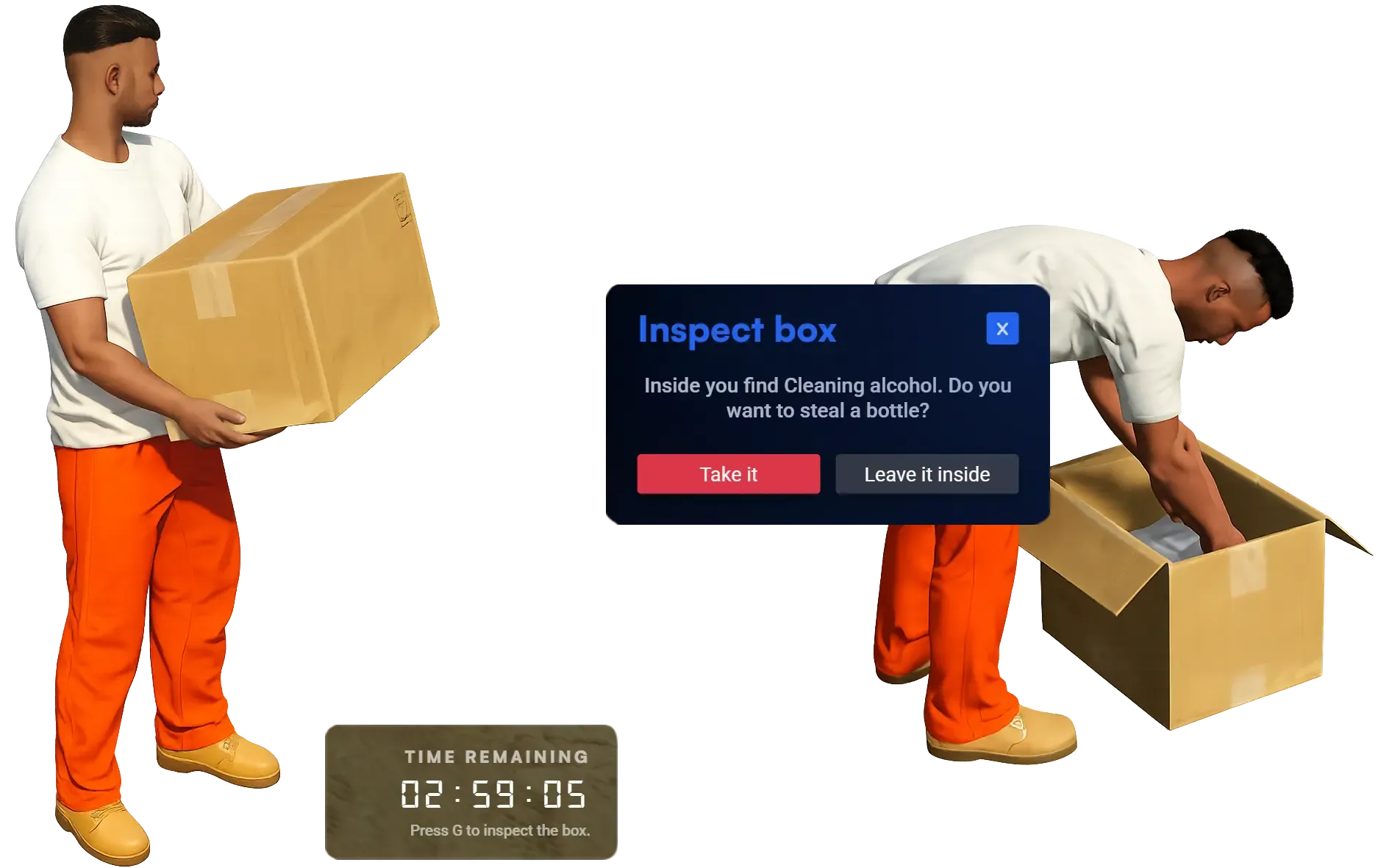
- Prisoners move heavy boxes between locations. Boxes can be inspected after being set down — usually containing worthless supplies, but rarely hiding items like cleaning alcohol that can be stolen.
- Handling contraband or inspecting boxes triggers clear animations, allowing staff to visually identify suspicious behavior and intervene when necessary.
Jail Break
Turn incarceration into high-stakes gameplay with a layered escape system driven by contraband, inmate trading, and interactive puzzles. Prisoners must plan carefully, gather resources, and coordinate to break out without getting caught.
- Players obtain illegal items through jail jobs and trade them with inmate NPCs for cigarette currency. Cigarettes can then be spent on tools required to stage an escape.
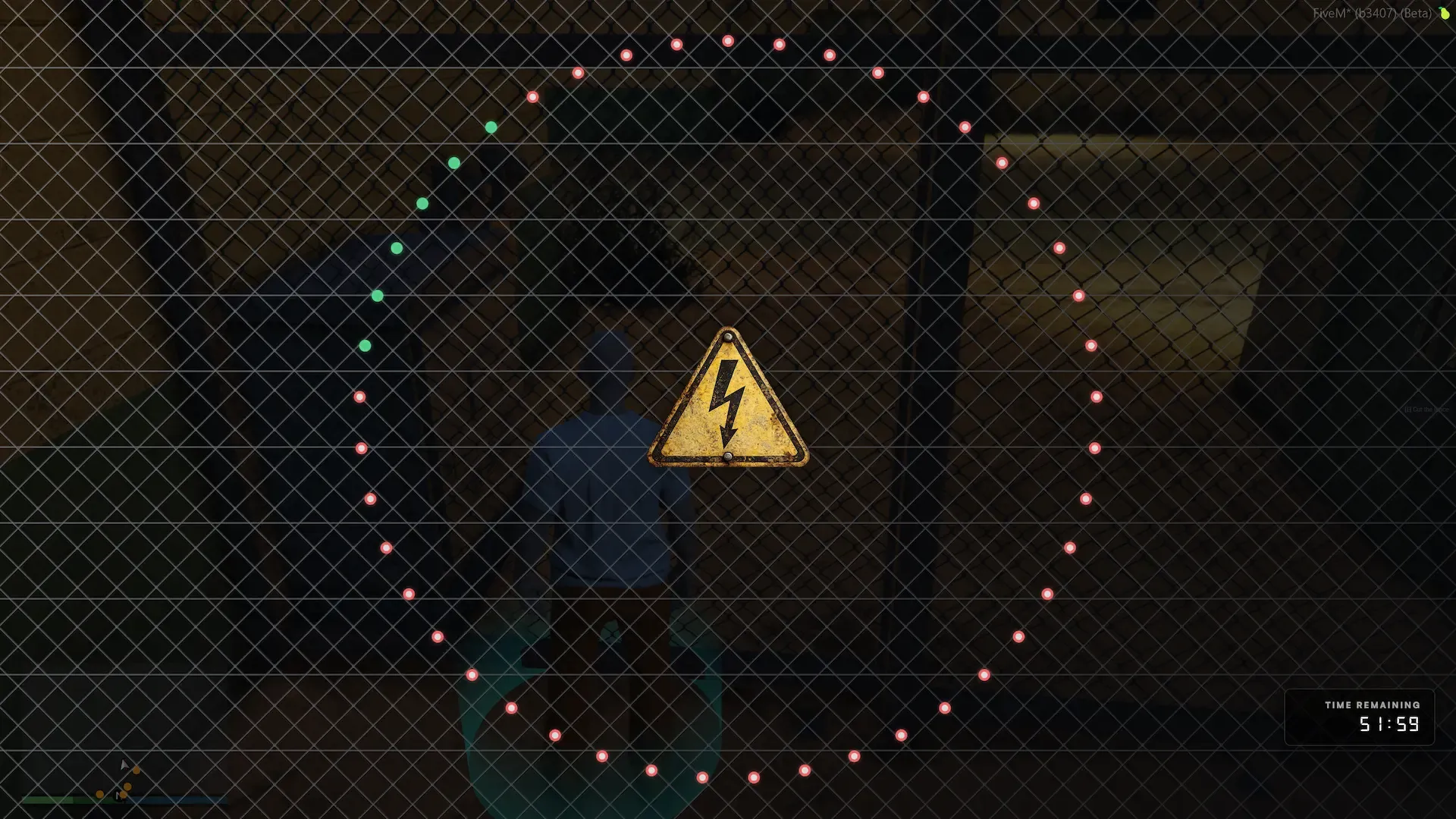
- Escaping requires completing a realistic cutting sequence where players must sever all wires around a circular fence section. Attempting this while power is active results in electrocution.
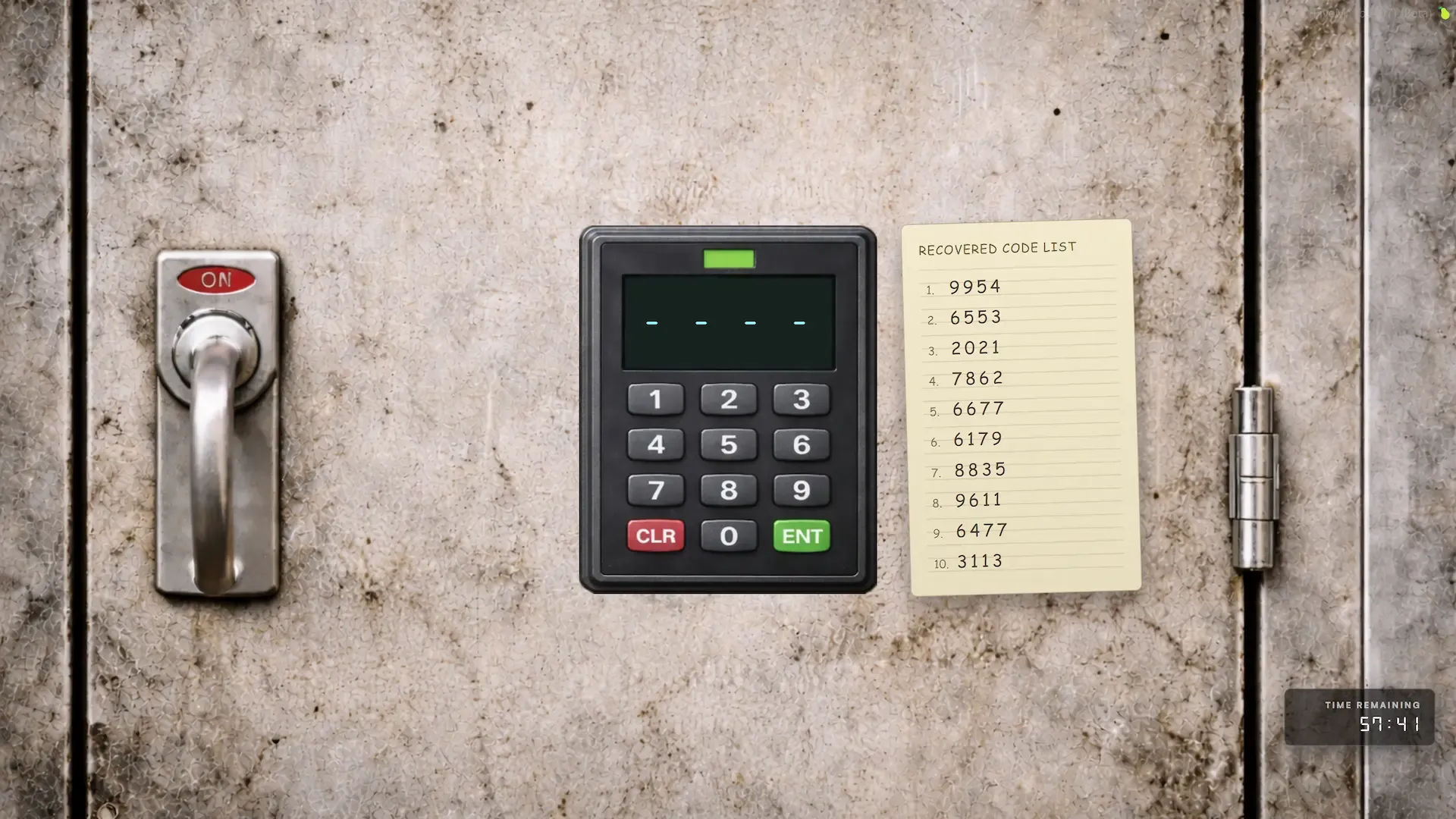
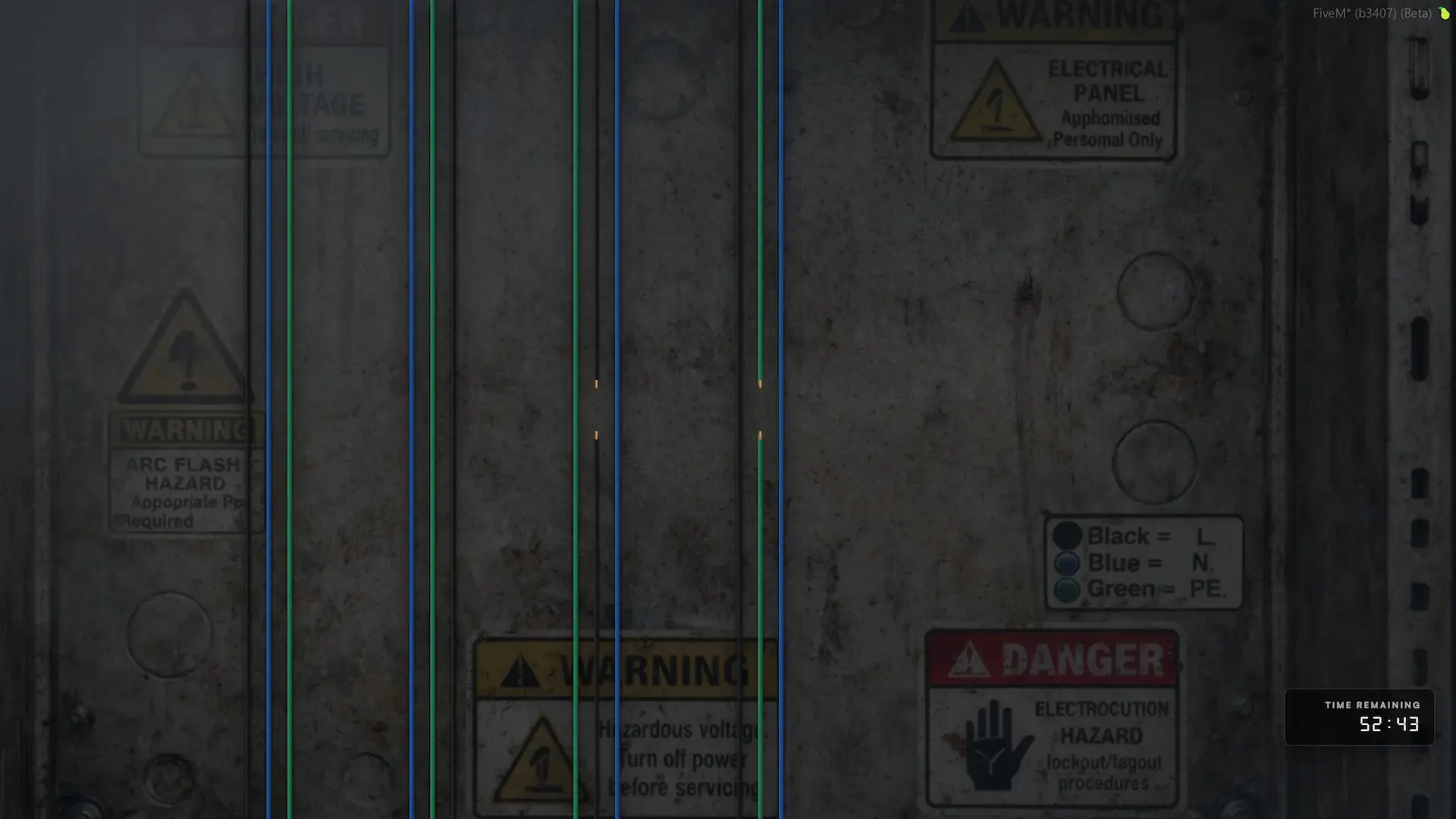
- Players locate an electrical box and unlock it using one of several possible passcodes obtained from an inmate NPC. Inside, they must identify and cut the correct neutral cables while avoiding live wires that cause shocks, disabling power to the fences.
- Escapes can also occur via helicopter extraction when server conditions allow — configurable to require a minimum number of active police to maintain balance and fairness.
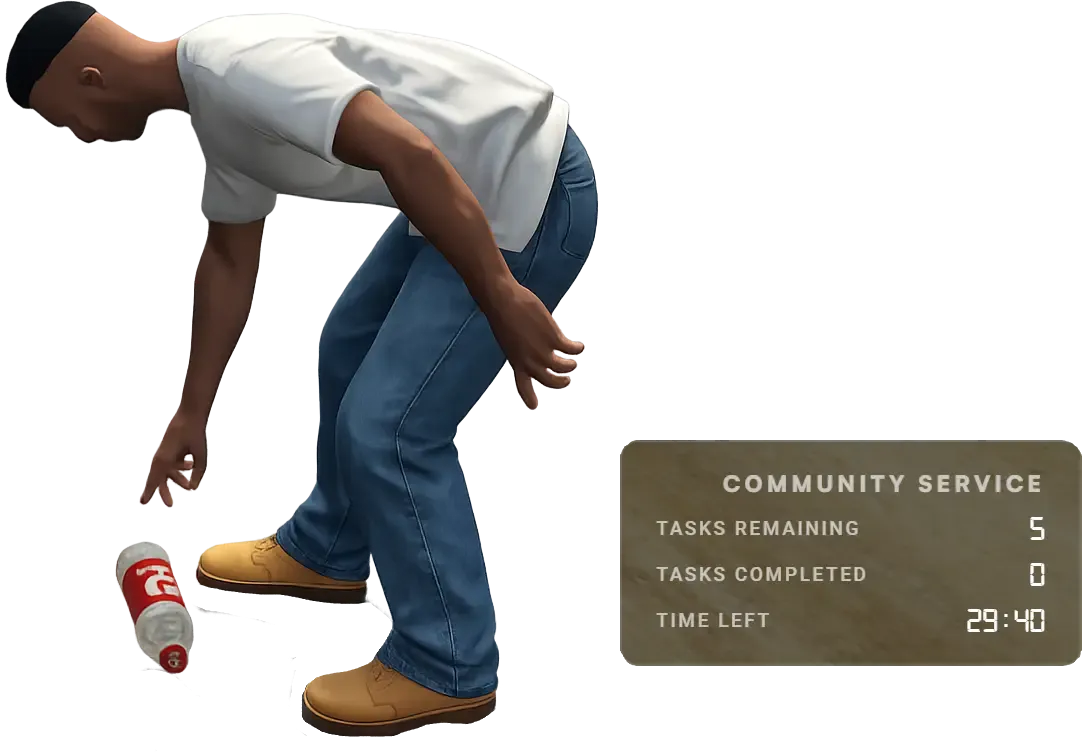
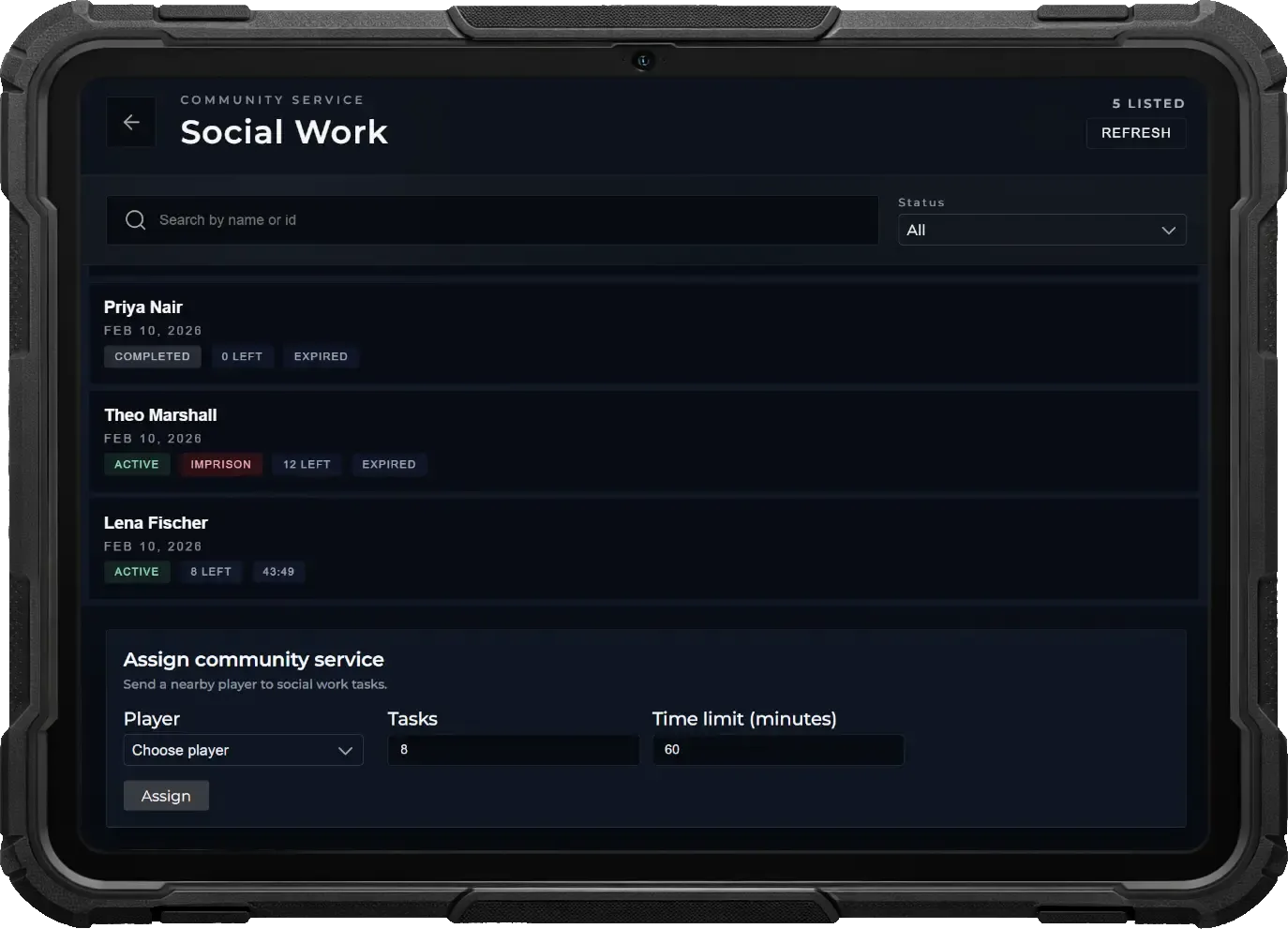
Community Service
Offer an alternative to incarceration by assigning structured community service tasks directly from the police tablet. Officers can issue work-based penalties while maintaining full oversight and escalation if offenders fail to comply.
- Officers assign a configurable number of community service tasks through the tablet app instead of sending a player to jail.
- Assigned players see remaining tasks and time limits directly on their HUD, ensuring clear progress tracking and accountability.
- Map markers guide offenders to designated service areas where they complete activities such as trash collection or transporting heavy boxes.
- If tasks are not completed within the allotted time, an arrest warrant is issued, allowing police to detain the player through roleplay and proceed with incarceration.
Helicam
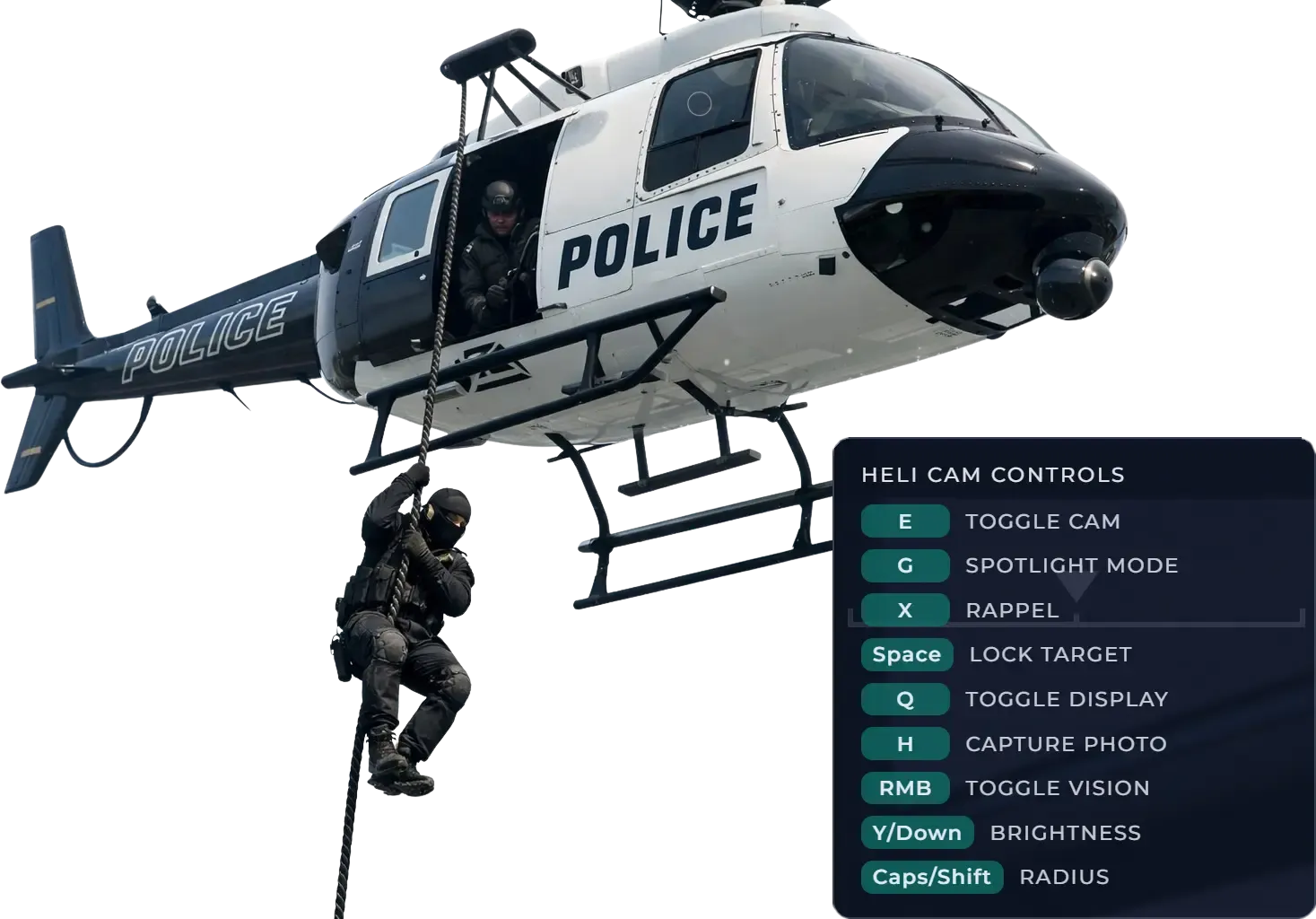
Provide aerial units with a powerful surveillance system. Officers inside helicopters can switch to a dedicated helicam view, track suspects, capture evidence, and deploy tactical tools for high-risk operations.
- Passengers can activate a stabilized helicam camera for aerial surveillance. The system supports vehicle target locking to keep suspects centered automatically, improving tracking during pursuits.
- Operate a fully controllable spotlight directly from the helicam. Officers can freely aim it and adjust brightness and radius to illuminate vehicles, suspects, or ground units below.
- Switch between normal, night vision, and thermal imaging modes to maintain visibility in darkness and detect heat signatures hidden from the naked eye.
- Capture aerial photos directly into the tablet gallery for evidence. Helicopter passengers can also rappel down for tactical insertions, while the pilot remains in control of the aircraft.
MDT Tablet
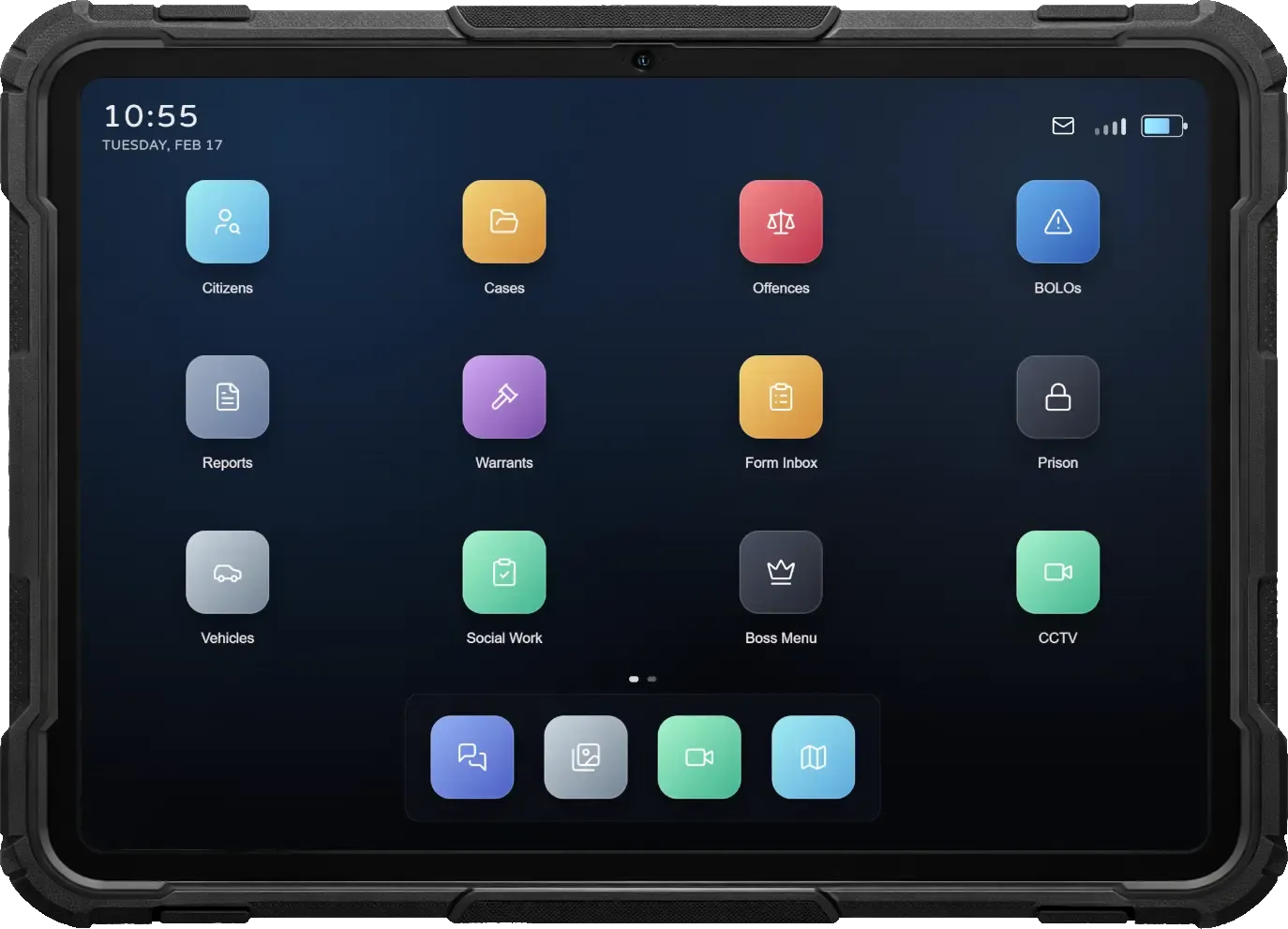
A fully integrated Mobile Data Terminal built directly into the script. Officers get access to powerful apps for communication, evidence capture, media management, and organization—creating a complete digital workspace for modern law enforcement.
- The script includes its own complete MDT tablet system. Officers can access all law enforcement tools, records, and apps through a modern, immersive tablet interface designed specifically for police roleplay.
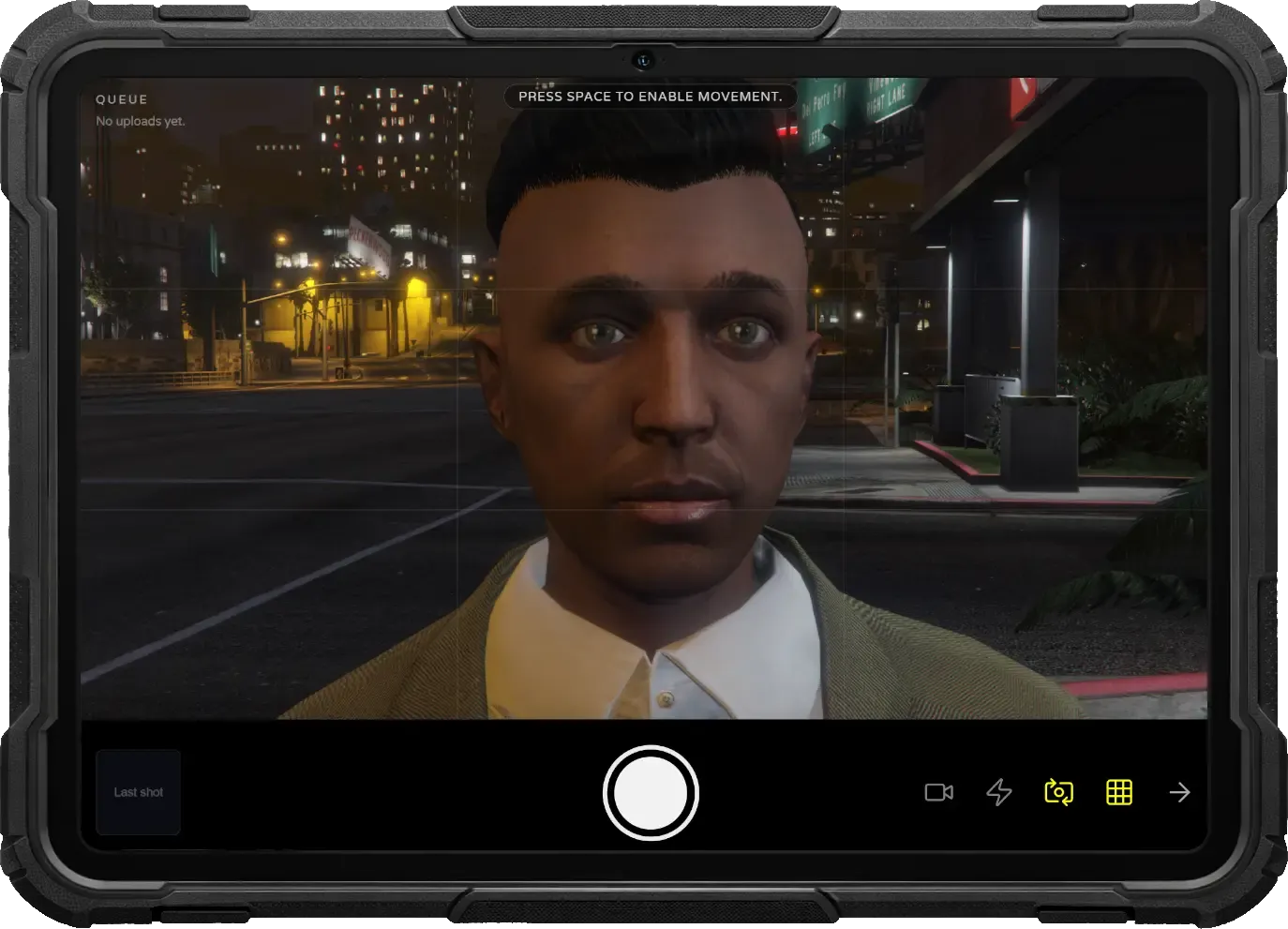
- Capture photos directly from the tablet using the built-in camera app and store them in the gallery. Images can be reviewed, managed, and attached to cases, reports, and profiles as evidence.
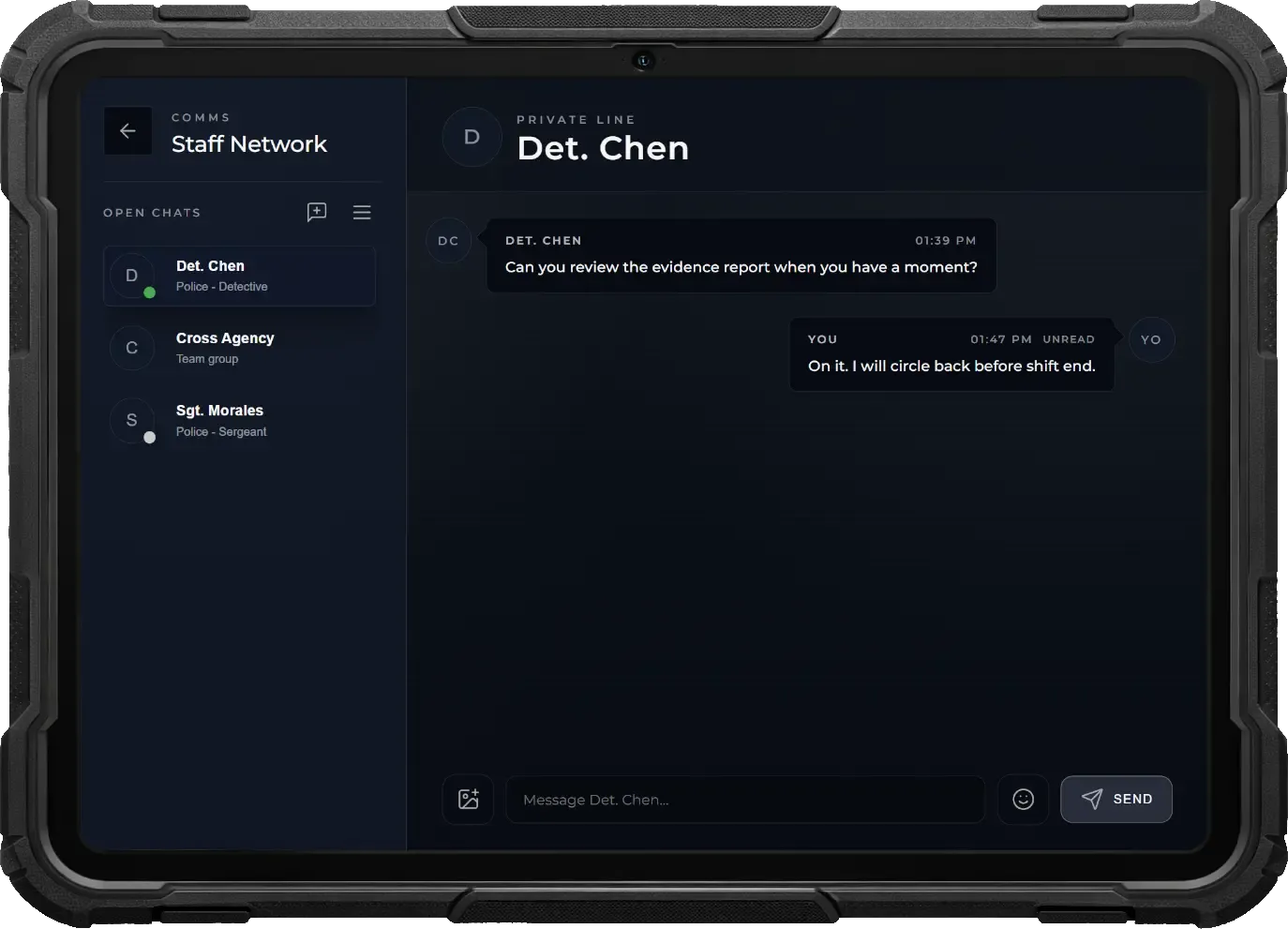
- Communicate with all department members or other agencies through the chat app. Create private chats or group conversations, share images, use emojis, view read receipts, and receive real-time push notifications.
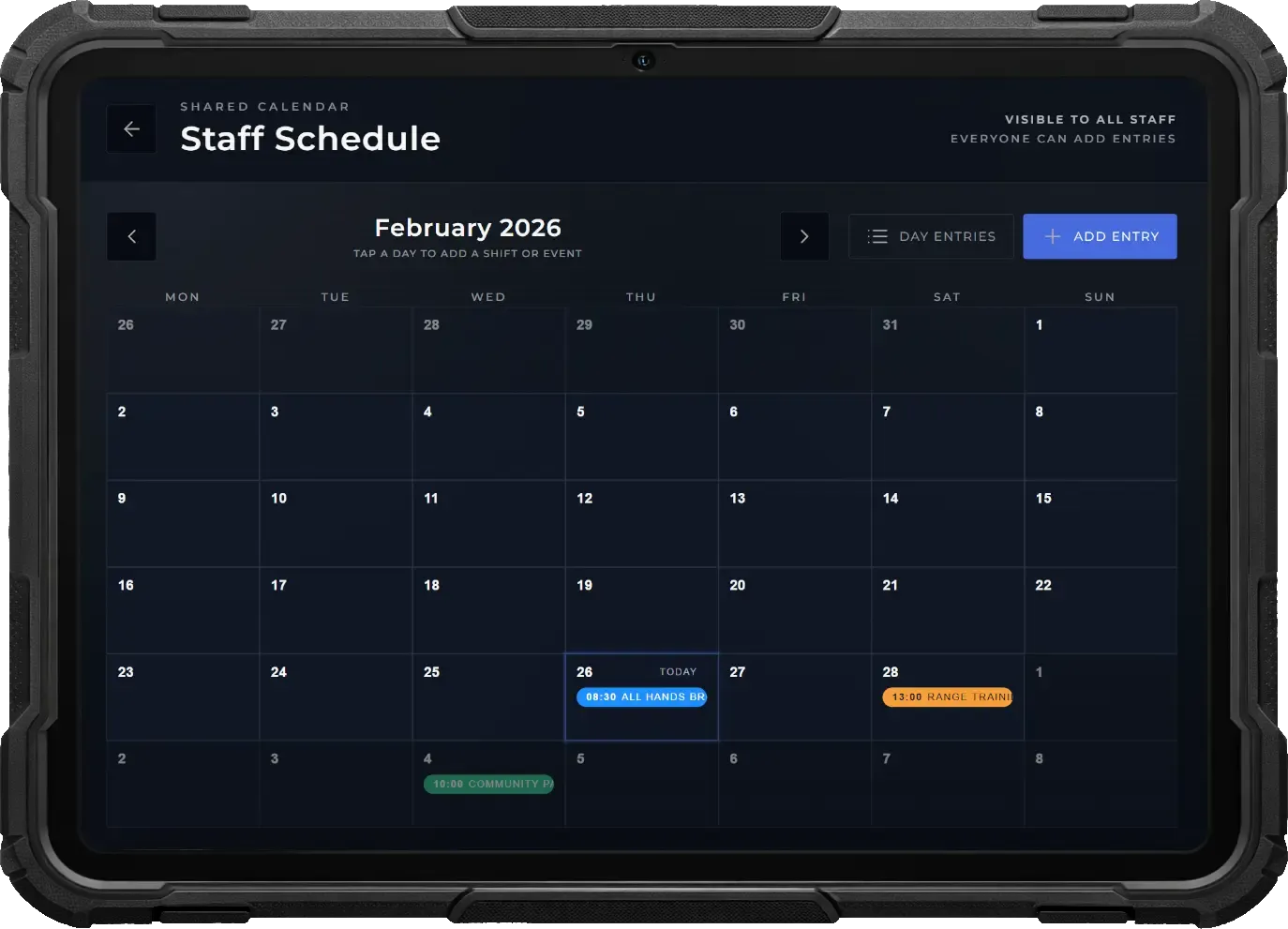
- Plan meetings, operations, and appointments using the integrated calendar. All department members receive automatic push notifications when scheduled events are approaching.
- Customize the tablet to your preference with light or dark mode and set your own custom background image. The settings app allows officers to personalize their MDT experience.
Dispatch & Map
Coordinate units and respond to incidents efficiently using the integrated MDT map and dispatch system. Track officers and suspects in real time, manage active calls, and control operations directly from the tablet.
- View all active officers, police vehicles, deployed speedcams, and tracked suspects in real time. The live map provides complete situational awareness for coordinated operations and patrol management.
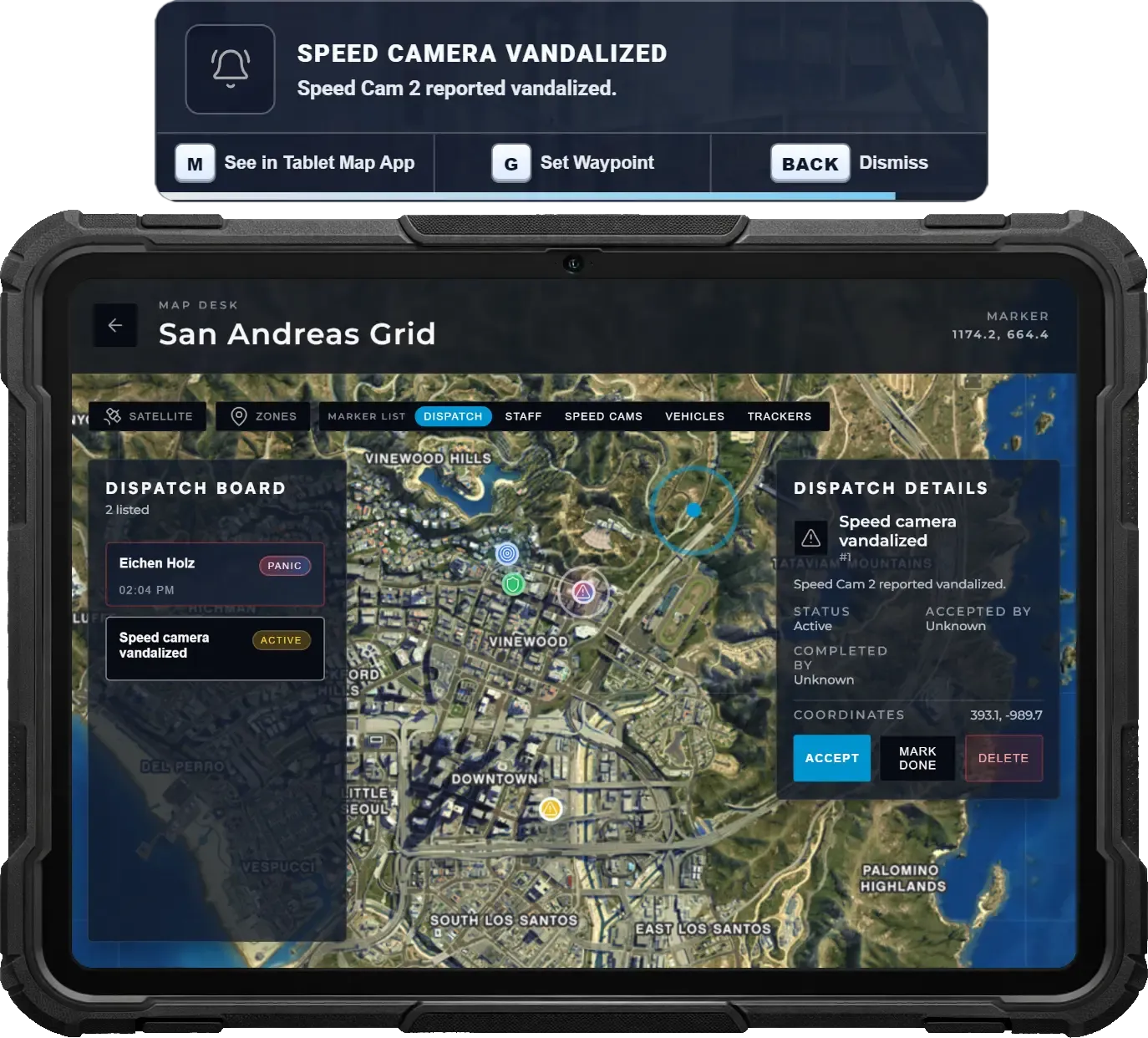
- Incoming dispatch calls trigger instant push notifications with quick actions. Officers can open the call in the MDT, set a waypoint immediately, or dismiss the alert depending on the situation.
- Within the map app, officers can accept dispatches, mark them as completed, or remove them. This ensures clear coordination and prevents multiple units from responding unnecessarily.
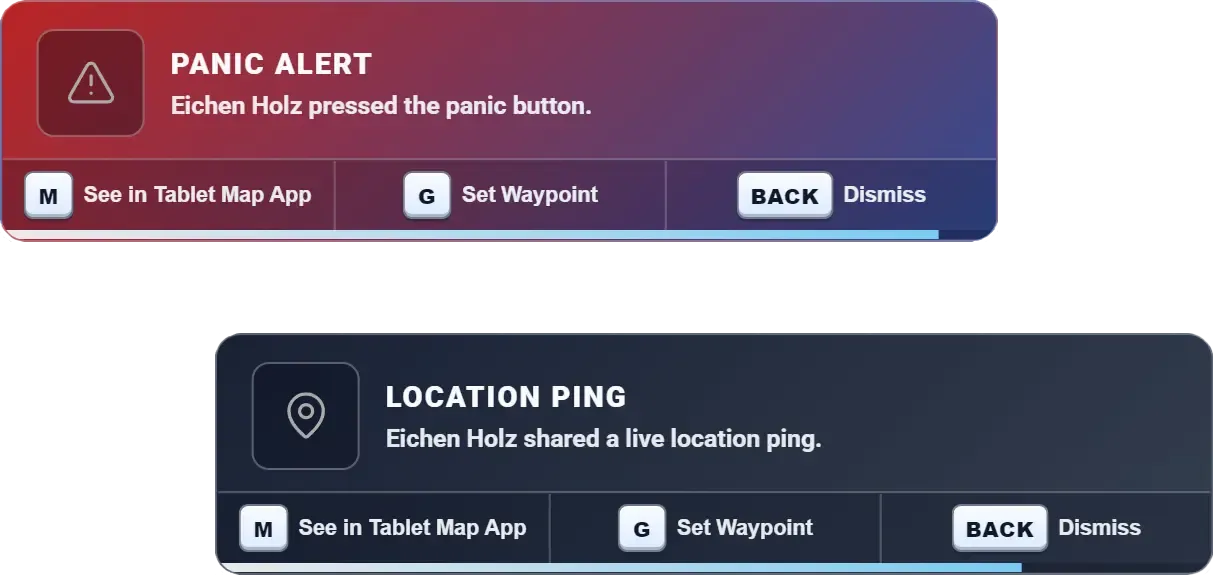
Panic & Ping
Give officers instant ways to call for help or share locations using dedicated hotkeys. Panic alerts notify the entire force with urgent signals, while quick pings allow fast coordination during pursuits and active situations.
- Officers can press a hotkey to instantly trigger a panic alert. All on-duty units receive a high-priority notification with sound, ensuring rapid awareness and response during dangerous situations.
- Panic alerts include keybind hints directly in the notification, allowing officers to instantly open the alert in the tablet map, place a waypoint on the in-game map, or dismiss the message.
- A separate hotkey allows officers to quickly share their current position without triggering a panic. Perfect for pursuits, traffic stops, or coordination when no immediate danger is present.
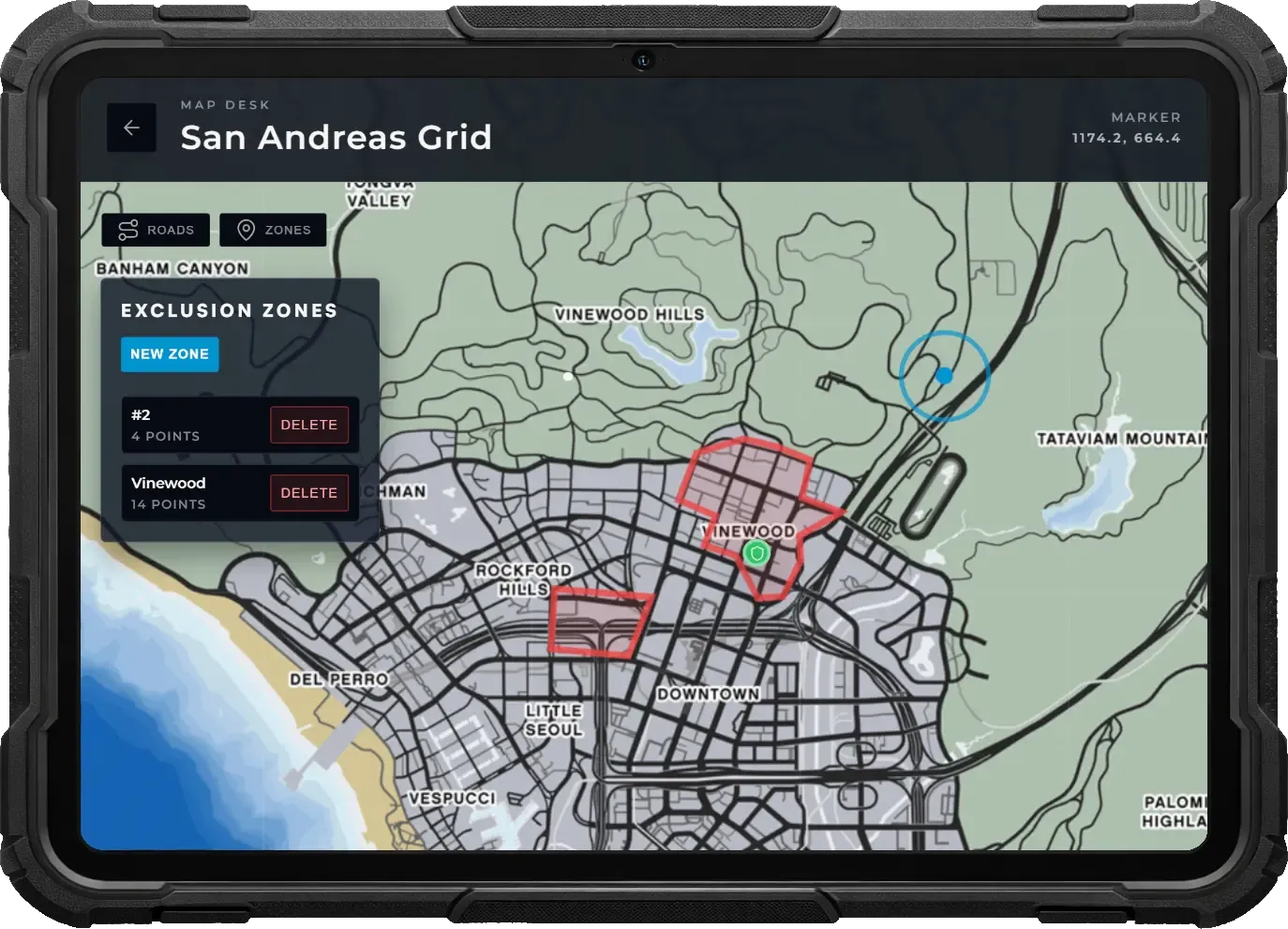
Exclusion Zones
Define and enforce restricted areas dynamically using the tablet map. Officers can draw custom zones for any scenario, preventing NPC activity inside and notifying players when they enter or leave controlled spaces.
- Officers create exclusion zones directly from the tablet map by drawing any shape. Zones are not limited to predefined sizes, allowing precise coverage for crime scenes, events, or emergencies.
- Create and manage multiple exclusion zones simultaneously, each with its own name and reason. This allows departments to control several active situations across the map at once.
- All active exclusion zones appear on the in-game map for players, clearly marking restricted areas and improving situational awareness.
- NPCs will not spawn inside exclusion zones, ensuring clean, controlled environments for roleplay scenarios, investigations, or special operations.
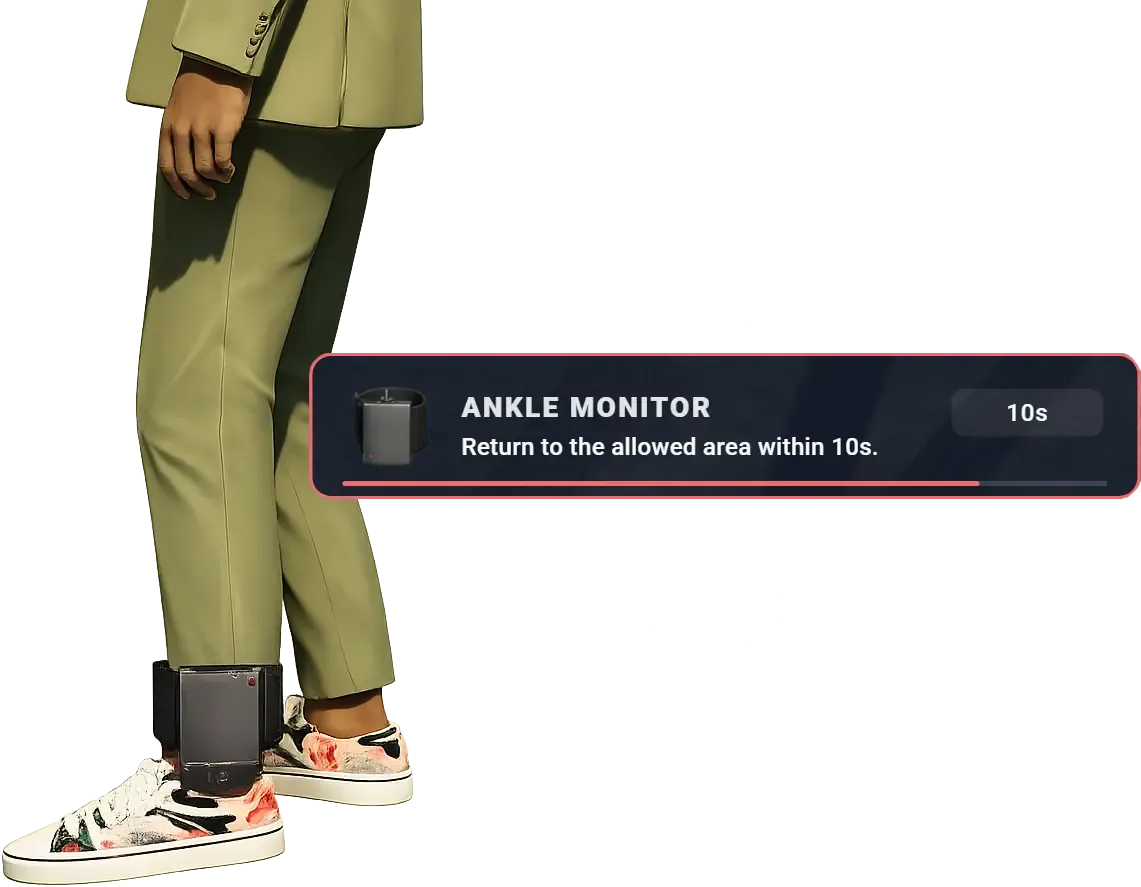
Ankle Monitor
Enforce house arrest, exclusion zones, or conditional release with a fully interactive ankle monitor system. Officers can attach a visible tracker to a player, define custom movement zones through the tablet, and receive alerts if restrictions are violated or the device is tampered with.
- Police can attach an ankle monitor directly to a player, placing a visible prop on their leg. The device stays physically present at all times, reinforcing the restriction through immersive visual roleplay.
- Officers define allowed or forbidden areas directly in the tablet map app. Zones can be drawn in any shape, letting police enforce house arrest, curfews, or restricted locations with full flexibility.
- Police can monitor the player’s live position at all times through the tablet. If the player leaves a required zone or enters a restricted one, they receive warnings with beep sounds and a countdown timer. Failure to return in time automatically alerts police.
- Players can attempt to cut off the monitor using wirecutters, leaving the device prop on the ground. Police are instantly notified when the ankle monitor is damaged or removed, enabling immediate response.
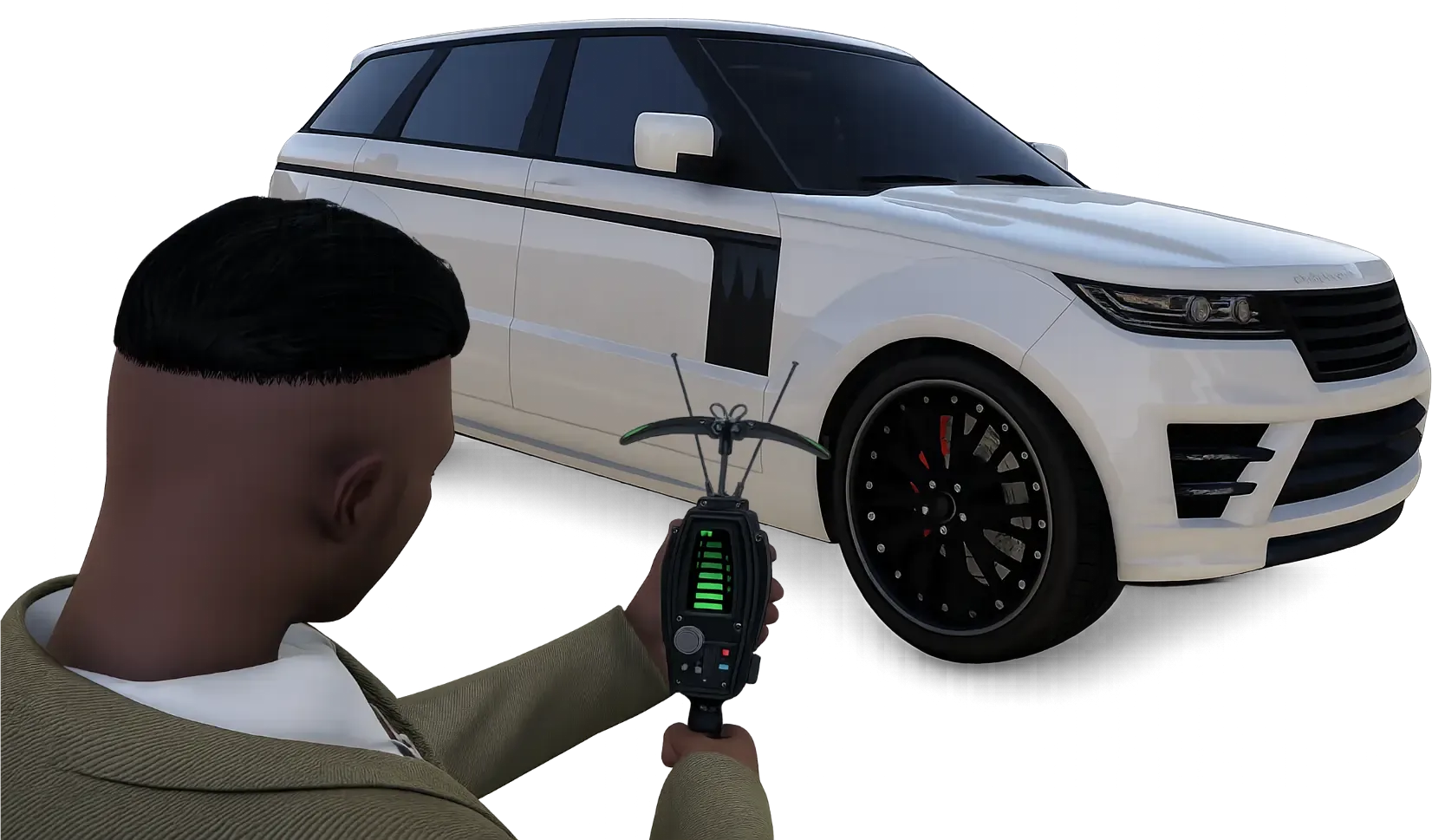
GPS Trackers
Conduct covert vehicle surveillance with deployable GPS trackers. Police can secretly attach trackers to suspect vehicles and monitor their live location through the tablet, while players can sweep and remove trackers using a realistic detection device.
- Officers can discreetly place GPS trackers onto vehicles. Once attached, the vehicle appears in the tablet map app labeled with its license plate, allowing police to monitor its live position remotely.
- Players can scan their vehicles using a digiscanner that shows tracker proximity on its display. Immersive animations and increasing beep frequency help pinpoint the exact hidden tracker location.
- Once found, trackers can be physically removed from the vehicle. Removed trackers immediately stop transmitting, causing the vehicle to disappear from the police tablet map.
CCTV Cameras
Deploy a flexible surveillance network directly from the field. Officers can place cameras anywhere in the world, monitor live feeds through their tablet, and maintain equipment integrity while suspects attempt to sabotage visibility.
- Officers use a CCTV item to place cameras anywhere. Once installed, the camera becomes a visible world object that all players can see, enabling dynamic surveillance setups tailored to each situation.
- Placed cameras appear in the CCTV tablet app where officers can access live feeds, switch between units, and remotely rotate cameras to scan surroundings. Movement is reflected in-world, allowing nearby players to see the camera physically turning.
- Officers can capture images directly from camera feeds for the gallery or record video footage to review later, providing valuable evidence collection and documentation tools.
- Players can damage cameras to degrade image quality or destroy them entirely, cutting off surveillance. Officers must physically repair units on-site to restore functionality, encouraging active maintenance and counterplay.
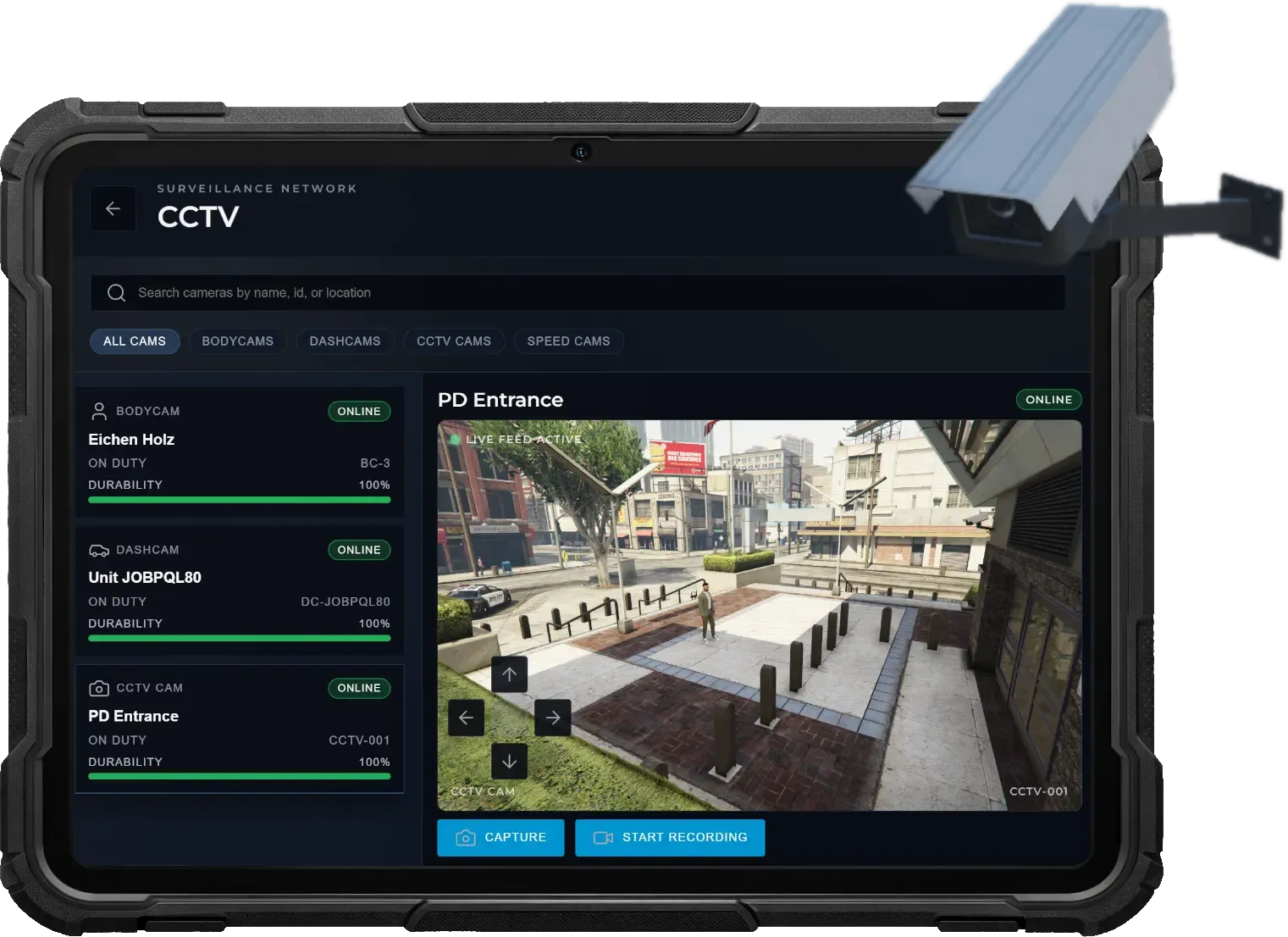
Body & Dashcams
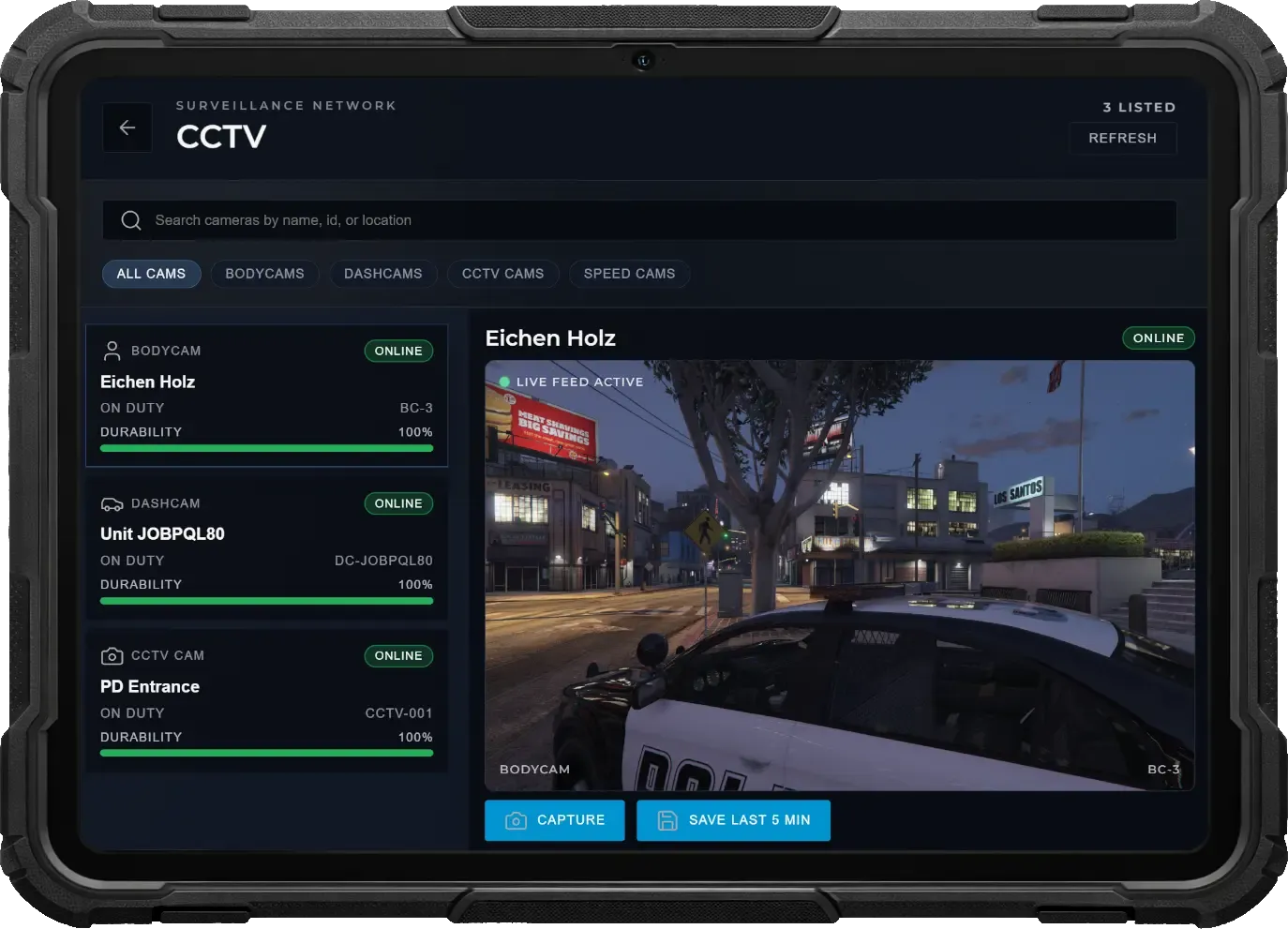
Expand situational awareness with integrated wearable and vehicle-mounted cameras. Monitor officers in real time through the tablet, capture evidence directly from live feeds, and maintain visibility across active units and deployed vehicles.
- Each on-duty officer streams a live bodycam feed accessible through the CCTV tablet app. Supervisors can switch perspectives instantly to monitor field situations as they unfold.
- Camera integrity mirrors its source condition — bodycams reflect officer health while dashcams reflect vehicle health. Signal quality degrades under damage, and feeds cut out entirely if the officer dies or the vehicle is destroyed.
- Tablet users can capture snapshots directly from bodycam feeds or save the last five minutes of buffered recording as video, storing both automatically in the media gallery for documentation.
- Every job vehicle includes a dashcam accessible through the same tablet interface, providing continuous monitoring of traffic stops, pursuits, or patrol activity.
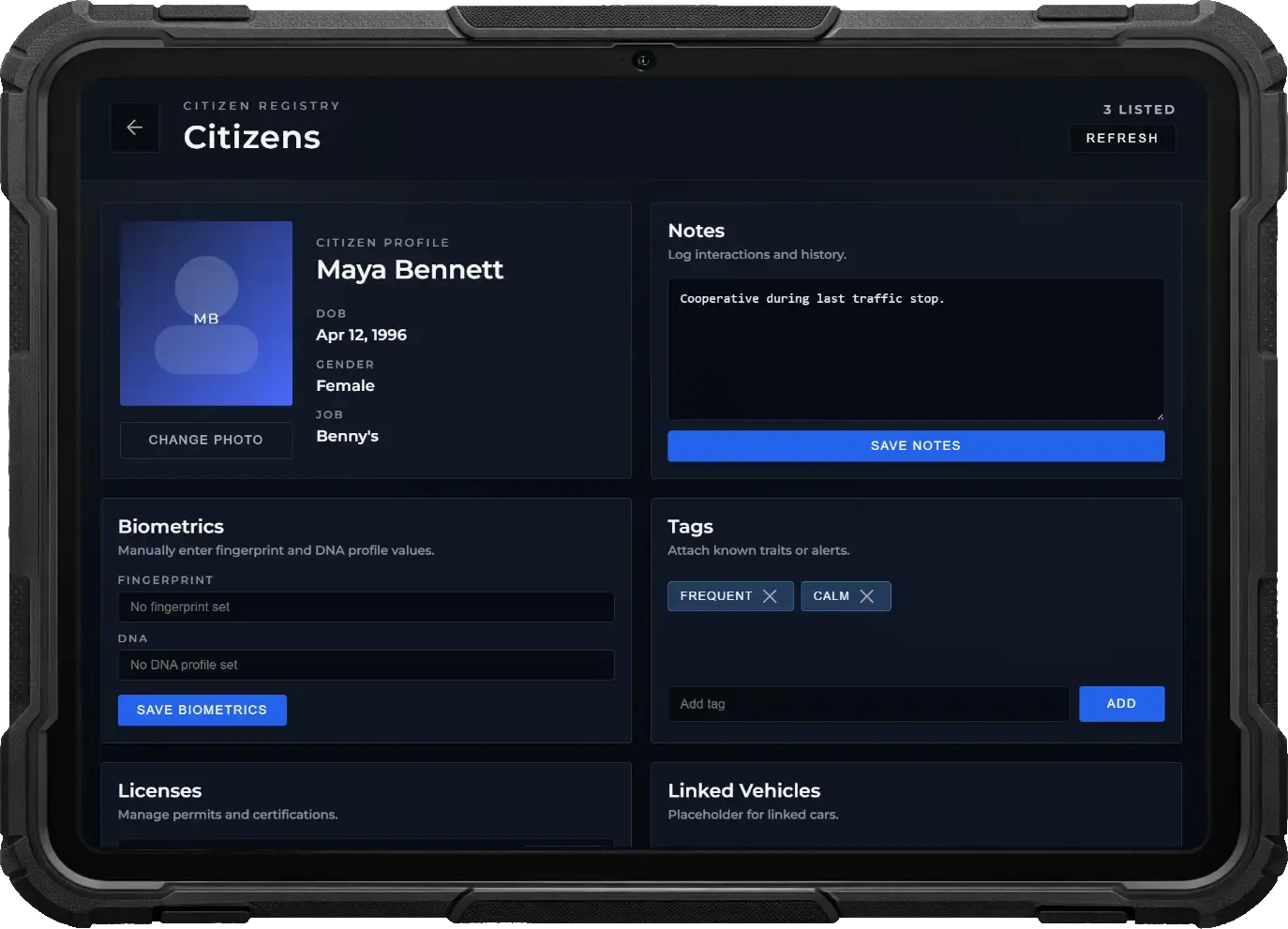
Citizen & Vehicle Registry
Access a complete law enforcement registry containing all citizens and vehicles. Officers can review profiles, attach investigation data, and maintain detailed records to support evidence work and ongoing cases.
- Search a prefilled database of all registered citizens and vehicles. Instantly access identity details, ownership information, and linked records to support patrol and investigative work.
- Enhance profiles by adding descriptions, custom tags, and photos. Store visual identifiers, notes, and intelligence to help officers recognize suspects, vehicles, or persons of interest.
- Link citizens and vehicles directly to cases, reports, warrants, offences, and BOLOs. Officers can quickly navigate between profiles and related investigation documents.
- Manage licenses such as driver’s licenses and weapon permits. Officers can issue, revoke, or review license status directly from the citizen profile.
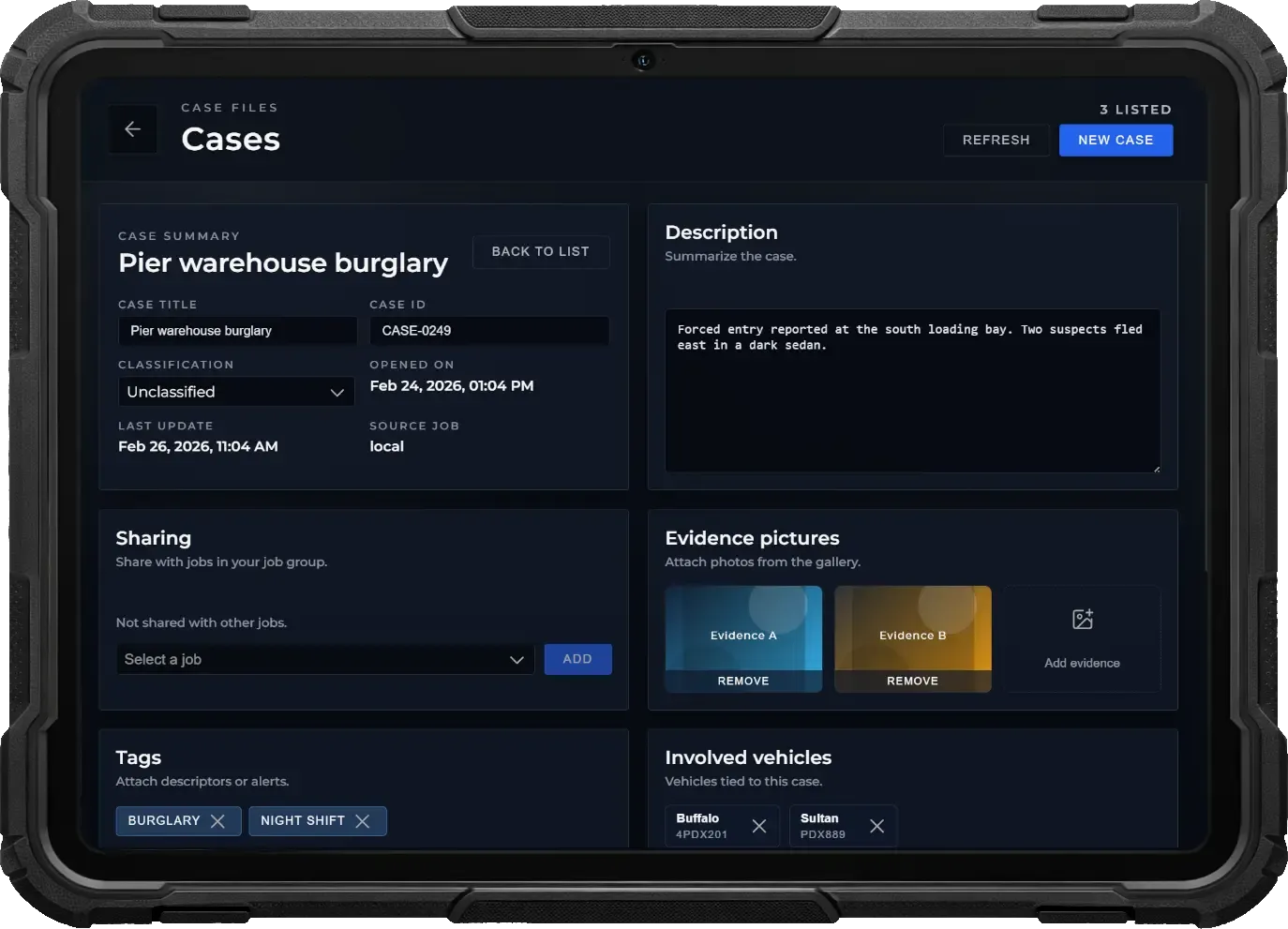
MDT Documents
Create, manage, and collaborate on professional law enforcement documents directly from the MDT tablet. Build complete case files, share intelligence between departments, and connect every piece of your investigation in one centralized system.
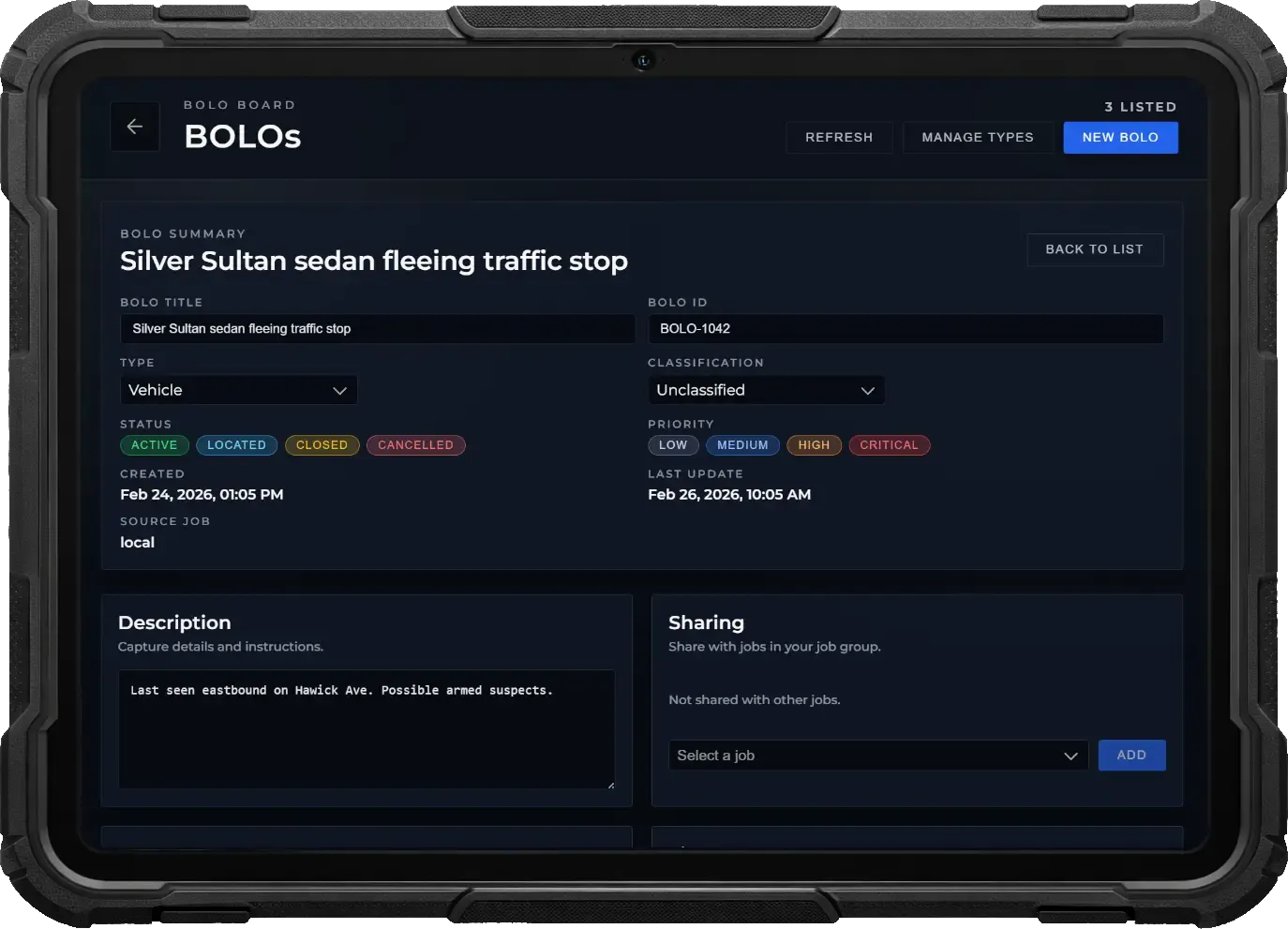
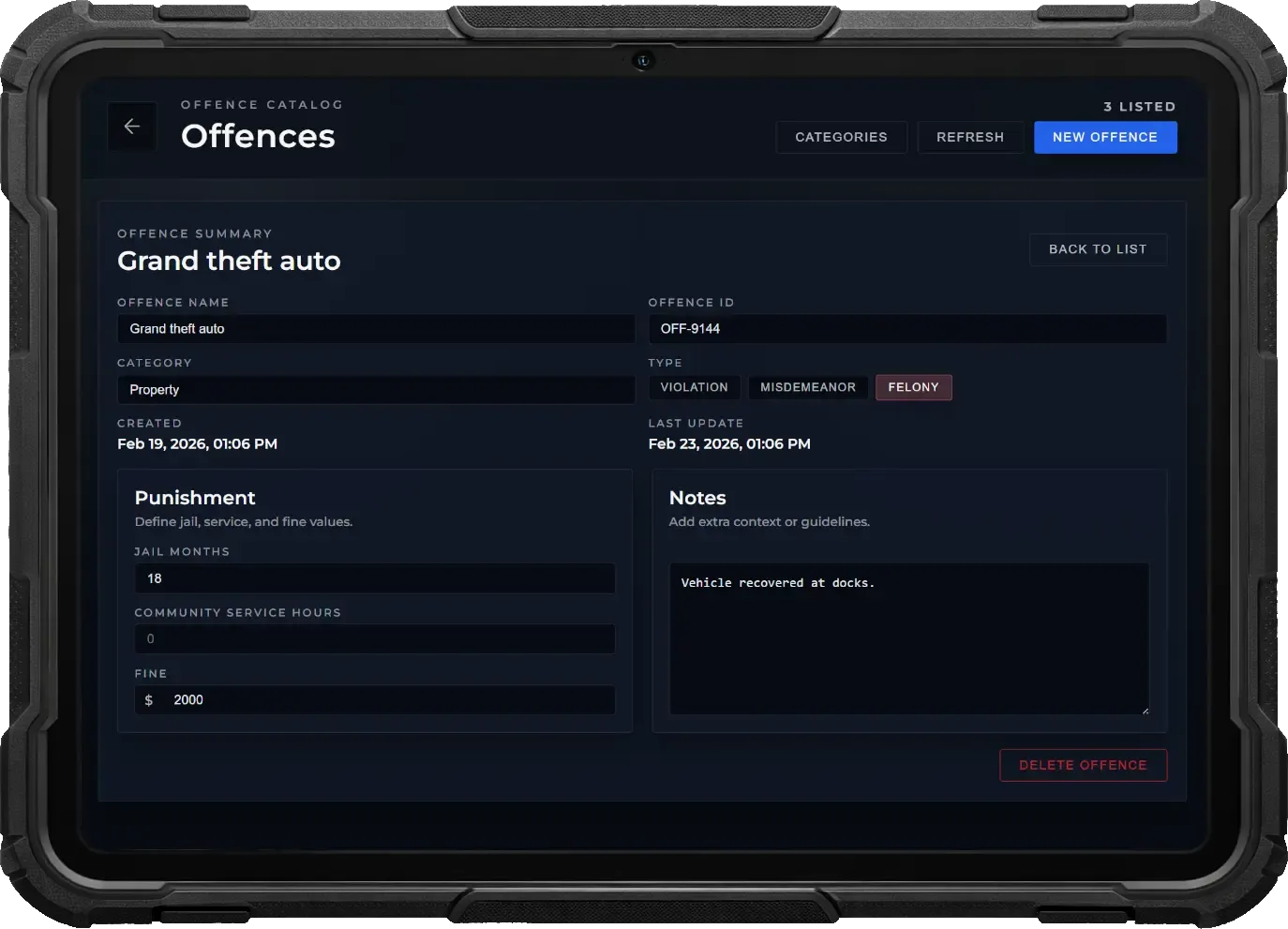
- Create structured documents including Cases, Reports, Warrants, Offences, and BOLOs. Each type is tailored for its specific purpose, helping officers maintain organized and professional investigation records.
- Share documents securely with other law enforcement agencies such as the Department of Justice, FIB, or any custom police job. Collaborate on investigations seamlessly across multiple jurisdictions.
- Assign classifications like Confidential, Restricted, or Public to any document. Boss menu permissions allow leadership to define exactly which job grades can access each classification level.
- Attach images, write detailed descriptions, add custom tags, and link involved citizens, vehicles, and officers. Build complete investigation files with all relevant information in one place.
- Link documents together to create connected investigation chains. Quickly jump between related cases, reports, warrants, and offences from any MDT app for faster and more efficient workflows.
Public Forms
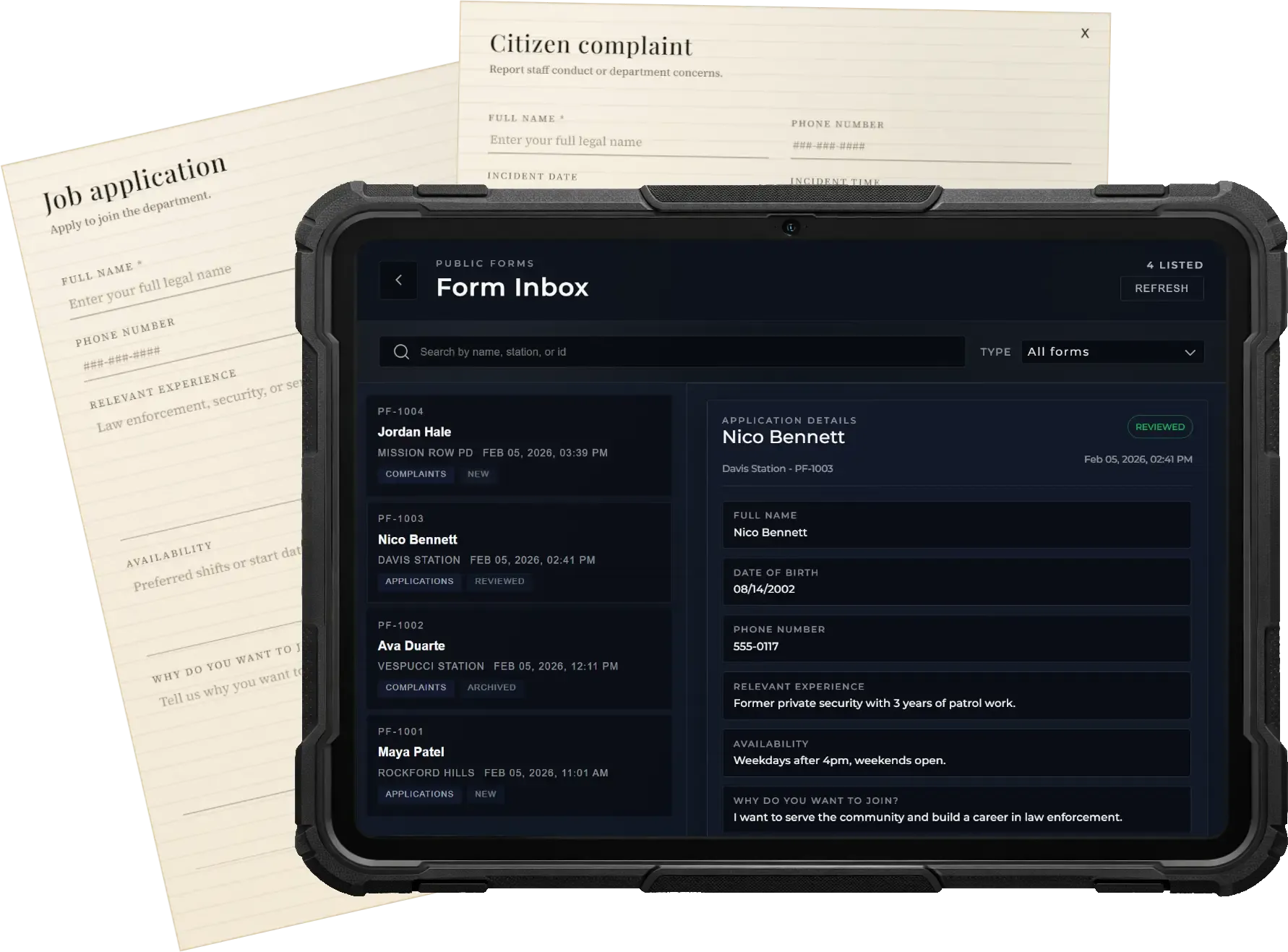
Allow citizens to submit structured requests directly at designated locations. From job applications to complaints, players interact with a public terminal to fill out forms that staff can later review, process, and archive through their tablet interface.
- Place configurable form terminals where citizens can browse available forms and submit job applications or complaints through an immersive UI.
- Authorized staff can access submissions from their tablet, read responses, track applicant details, and mark entries as reviewed or processed.
- Each form records submission time, player identity, and review status, ensuring transparency and organization while preventing duplicate handling.
On/Off Duty System
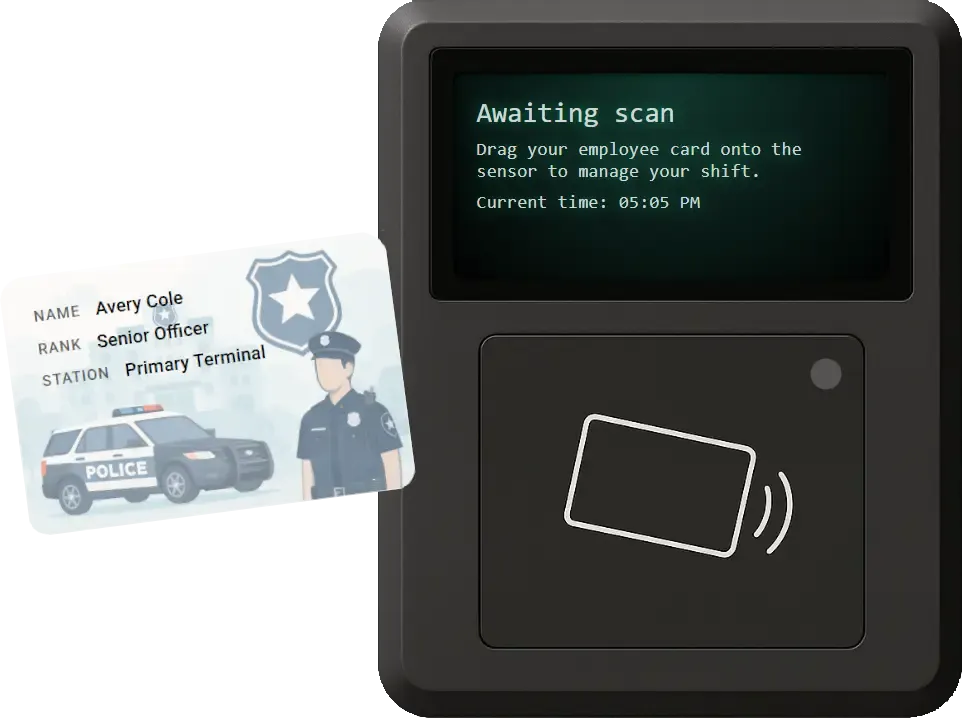
Staff clock in with a realistic duty terminal, track hours automatically, and stay synced with the rest of your infrastructure.
- Players drag their employee ID across the sensor to start or end a shift, just like in real life.
- Shifts log total hours and trigger salary payments.
- Interactions, tools, and menus only work when the player is actively clocked in.
Multi-Job Support
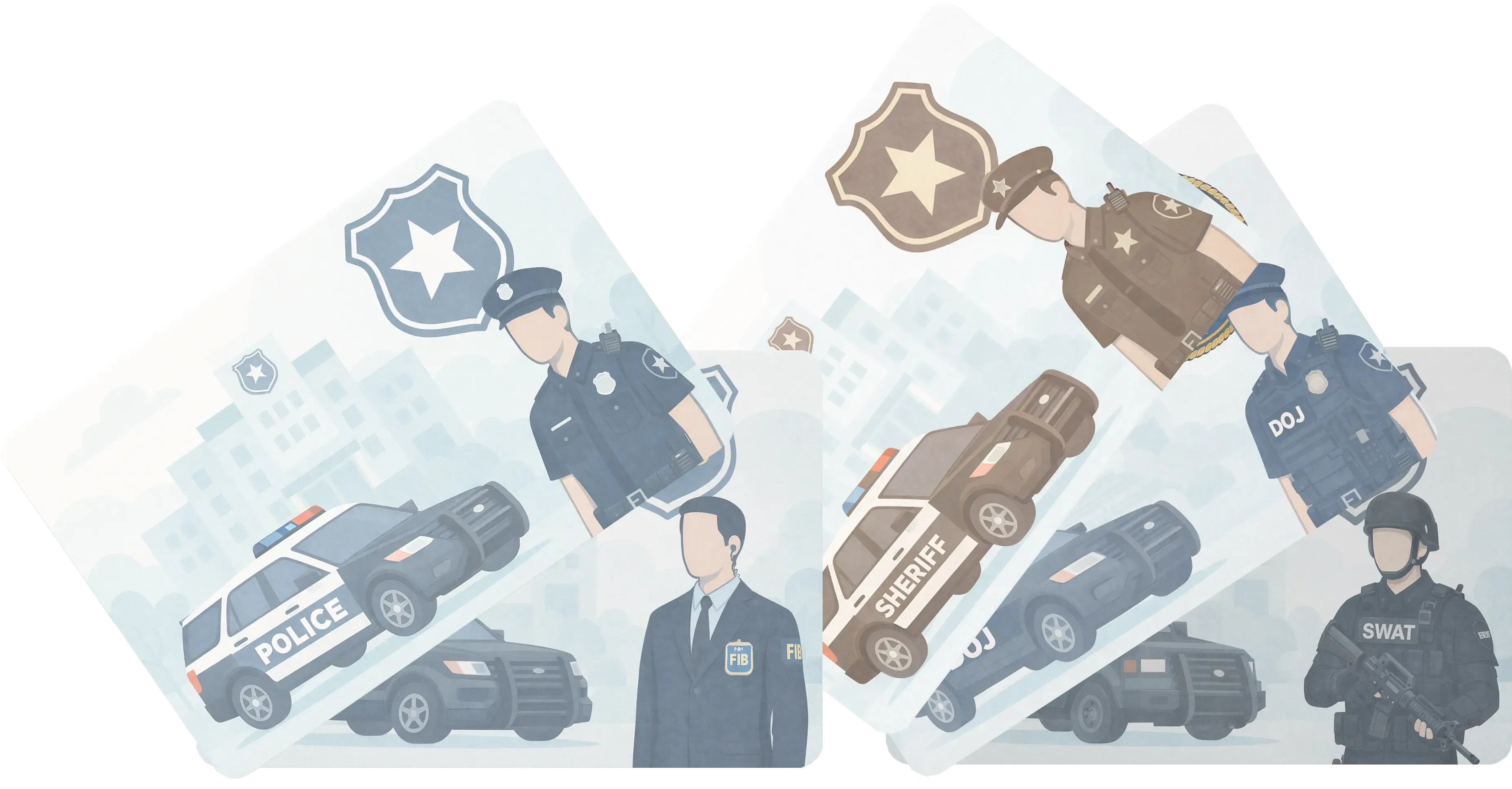
Run multiple independent law enforcement agencies under one unified system. Create and manage as many police-style jobs as you want—perfect for servers with multiple jurisdictions, task forces, or federal units.
- Create unlimited police-style jobs such as County Sheriff, City Police, FIB, Department of Justice, SWAT, or any custom agency—all operating simultaneously within one script.
- Each agency maintains its own vehicles, armories, storage, personnel, and finances—completely isolated from other departments.
- Ideal for servers featuring multiple cities, counties, or federal oversight—every jurisdiction can run its own organization while sharing the same backend.
Next-Gen Boss Menu
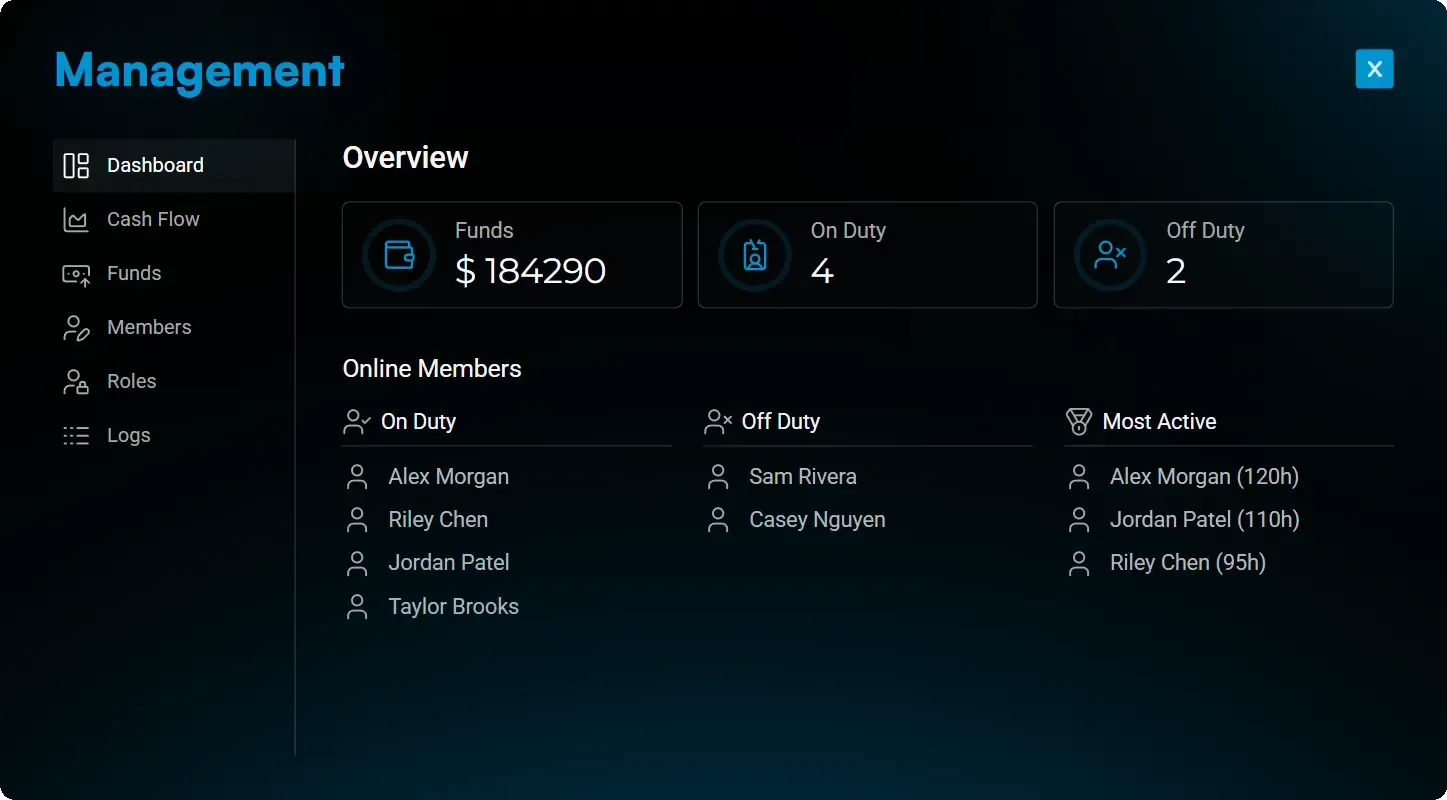
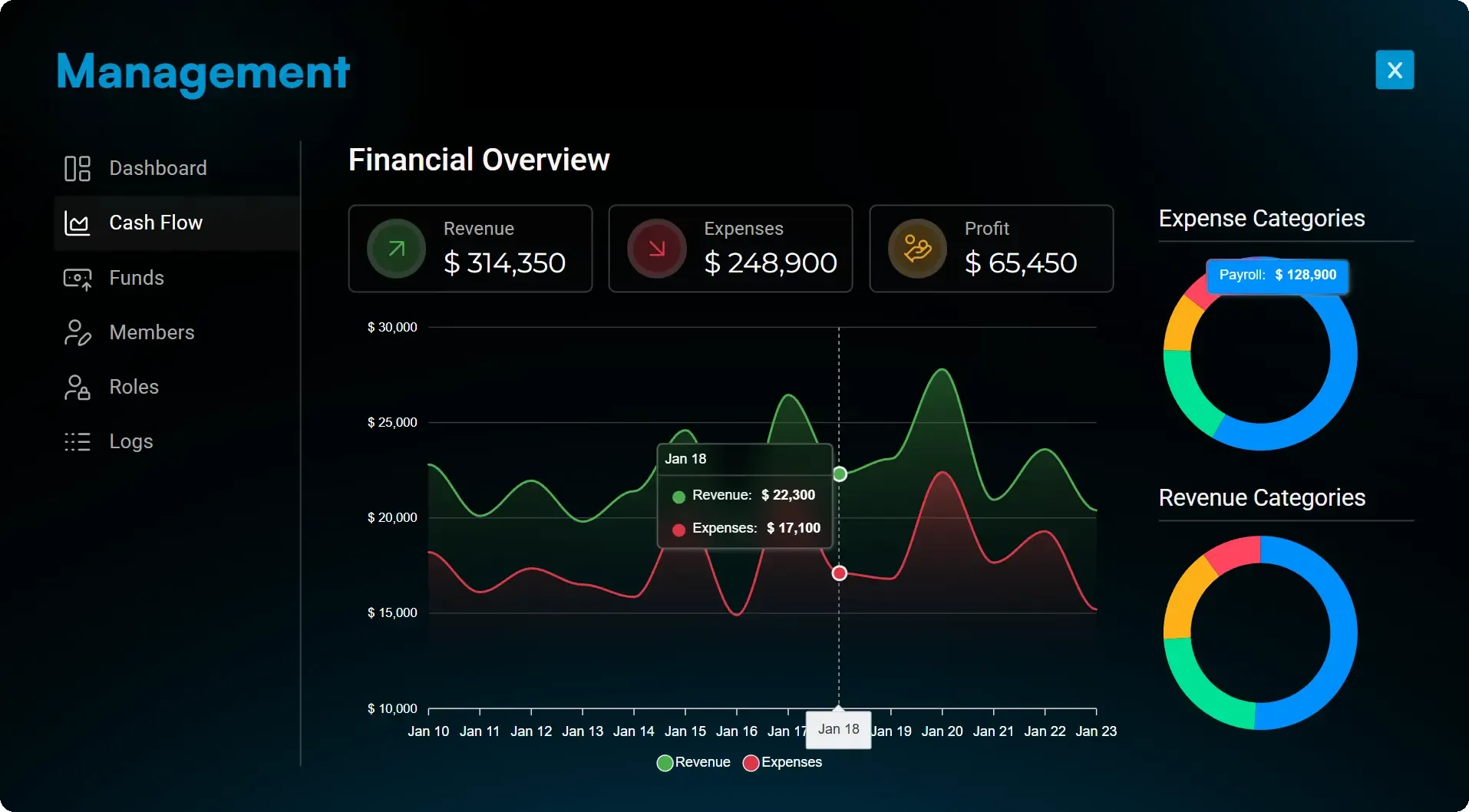
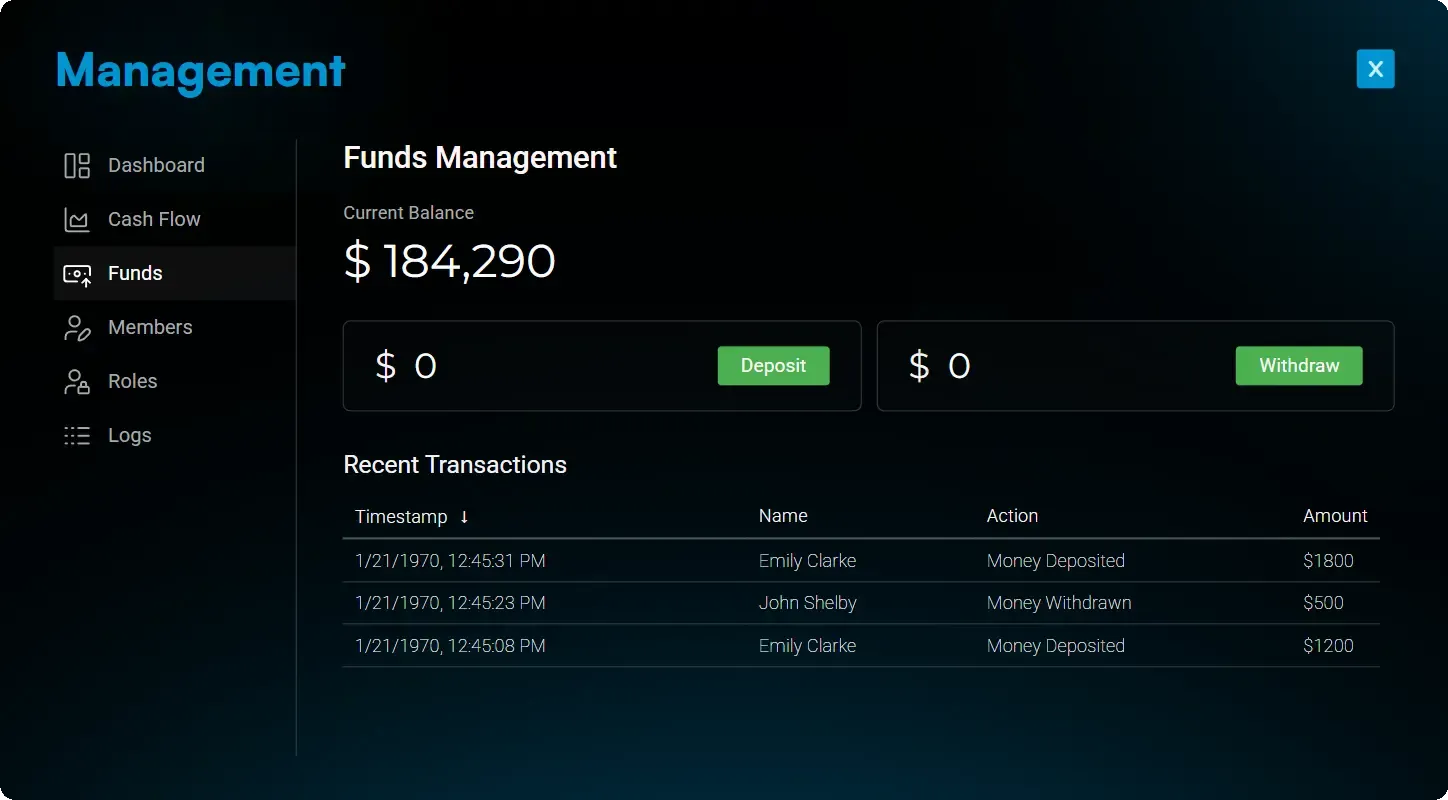
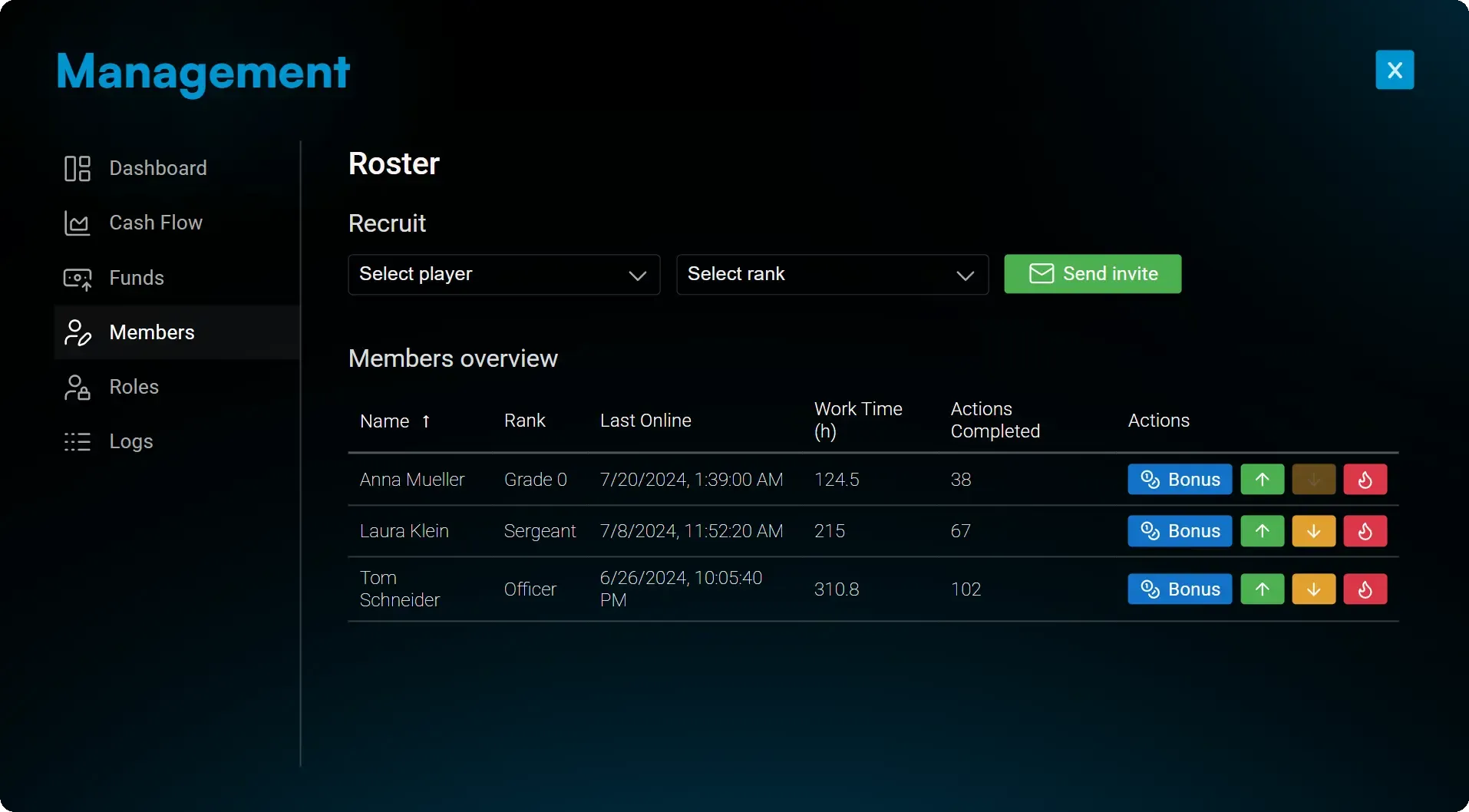
Built for leadership, designed for servers that run smoothly without admin babysitting. This boss menu gives your organization the power to manage itself—handle finances, staff, roles, and permissions internally, without requiring server staff to intervene.
- Give faction management a complete financial overview—track profits, expenses, payments, and cashflow with statistics and transparent audit logs.
- Faction leaders can invite, promote, demote, remove, or reward staff with ease. Keep your police department structured and efficient without involving server admins.
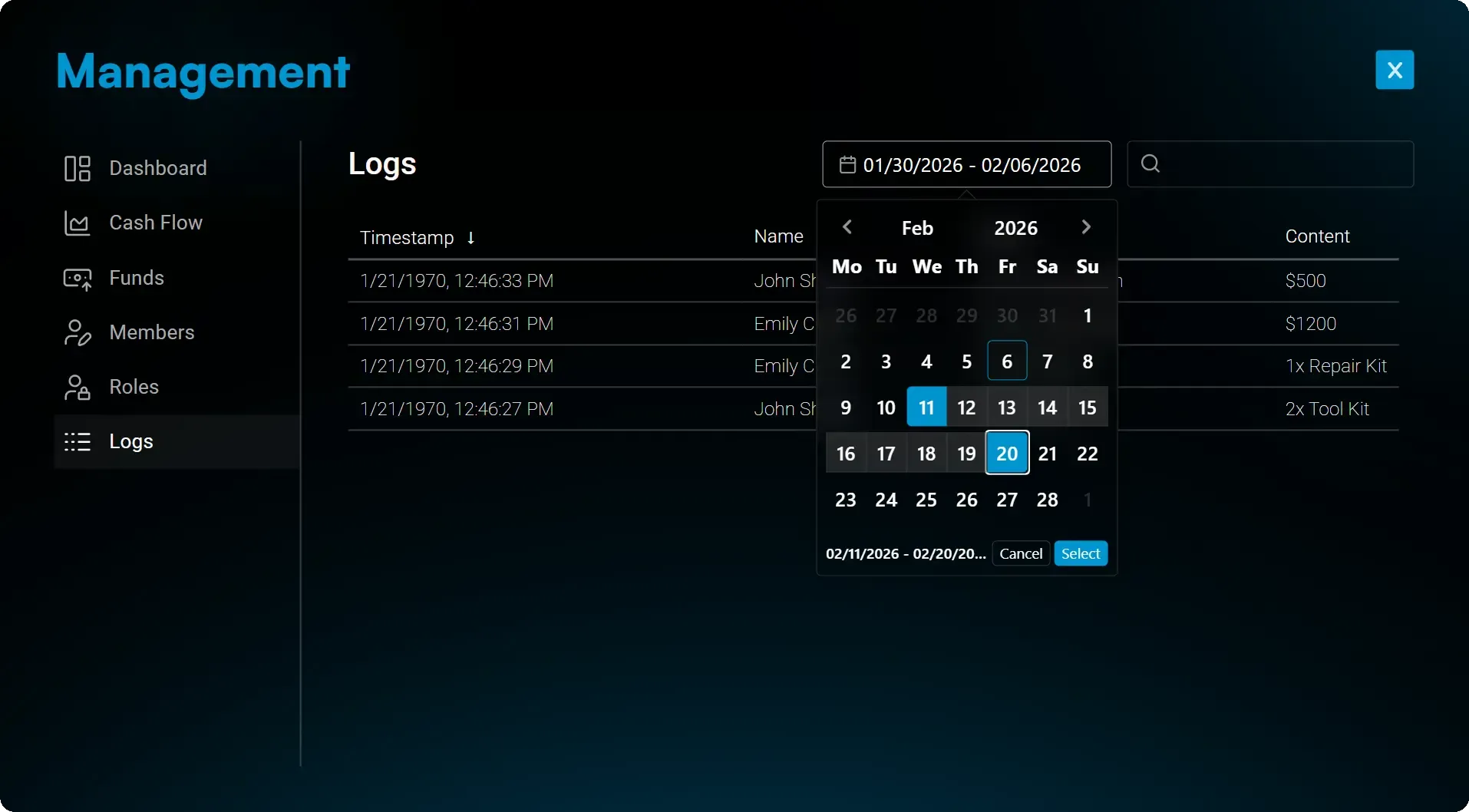
- Every withdrawal, payout, storage interaction, and sensitive action is automatically logged. Leaders always know who did what, improving trust and accountability inside the organization.
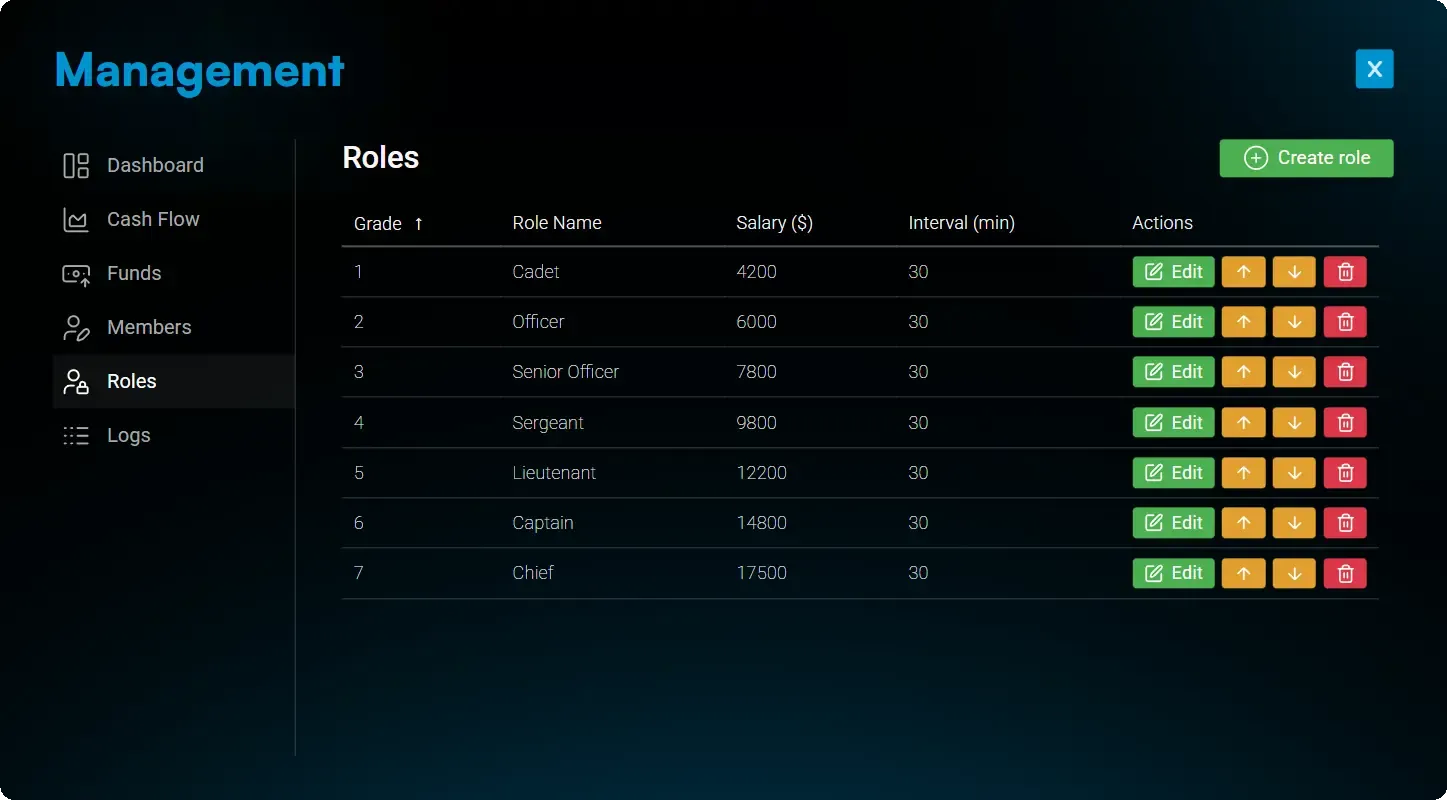
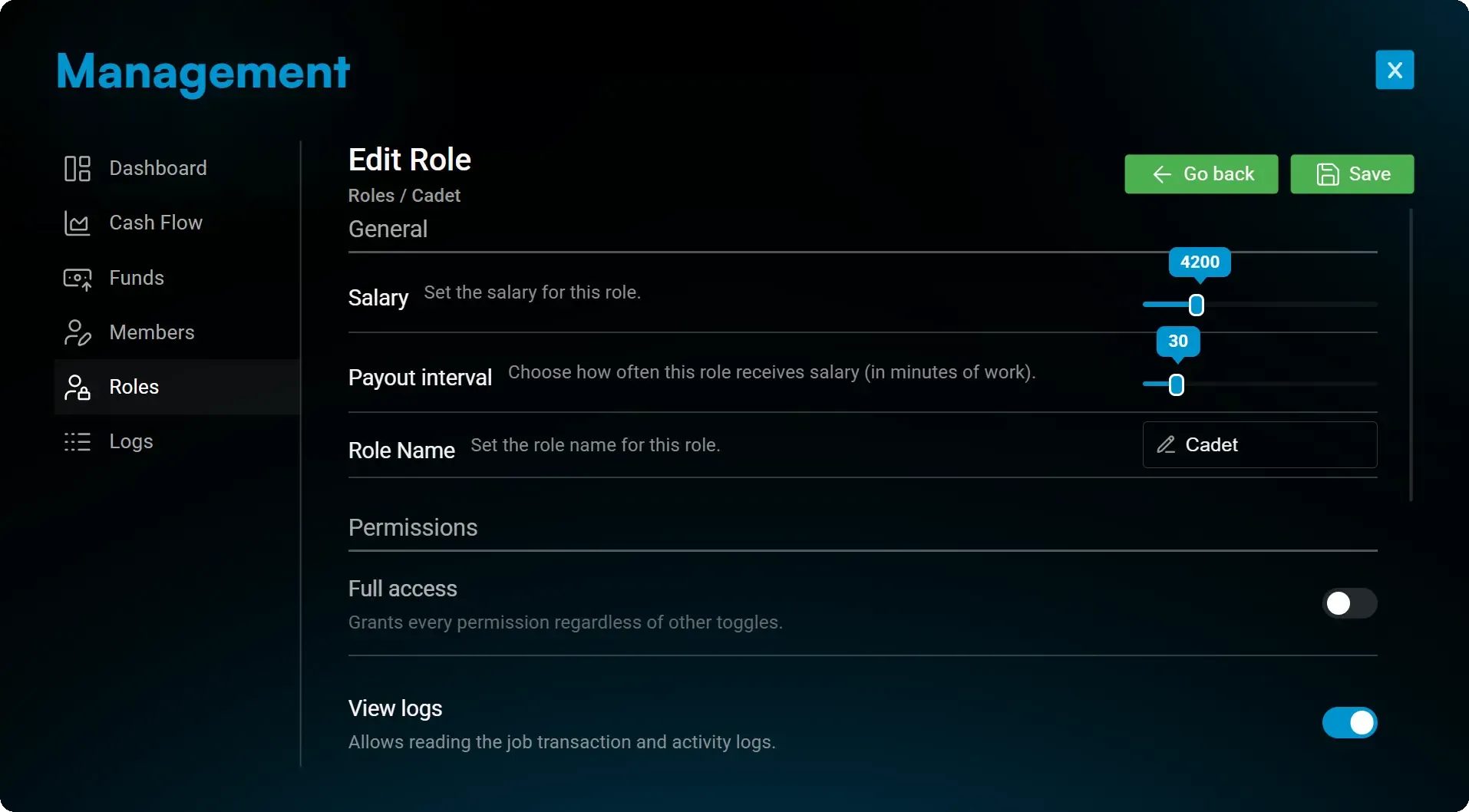
- Faction management can fully configure role-based permissions—from finances to storage to staffing. The organization controls its own structure securely.
- Faction leadership can manage all roles internally. Adjust salaries, set payout intervals, and—on ESX servers—create, move, reorder, or delete roles entirely without admin help.
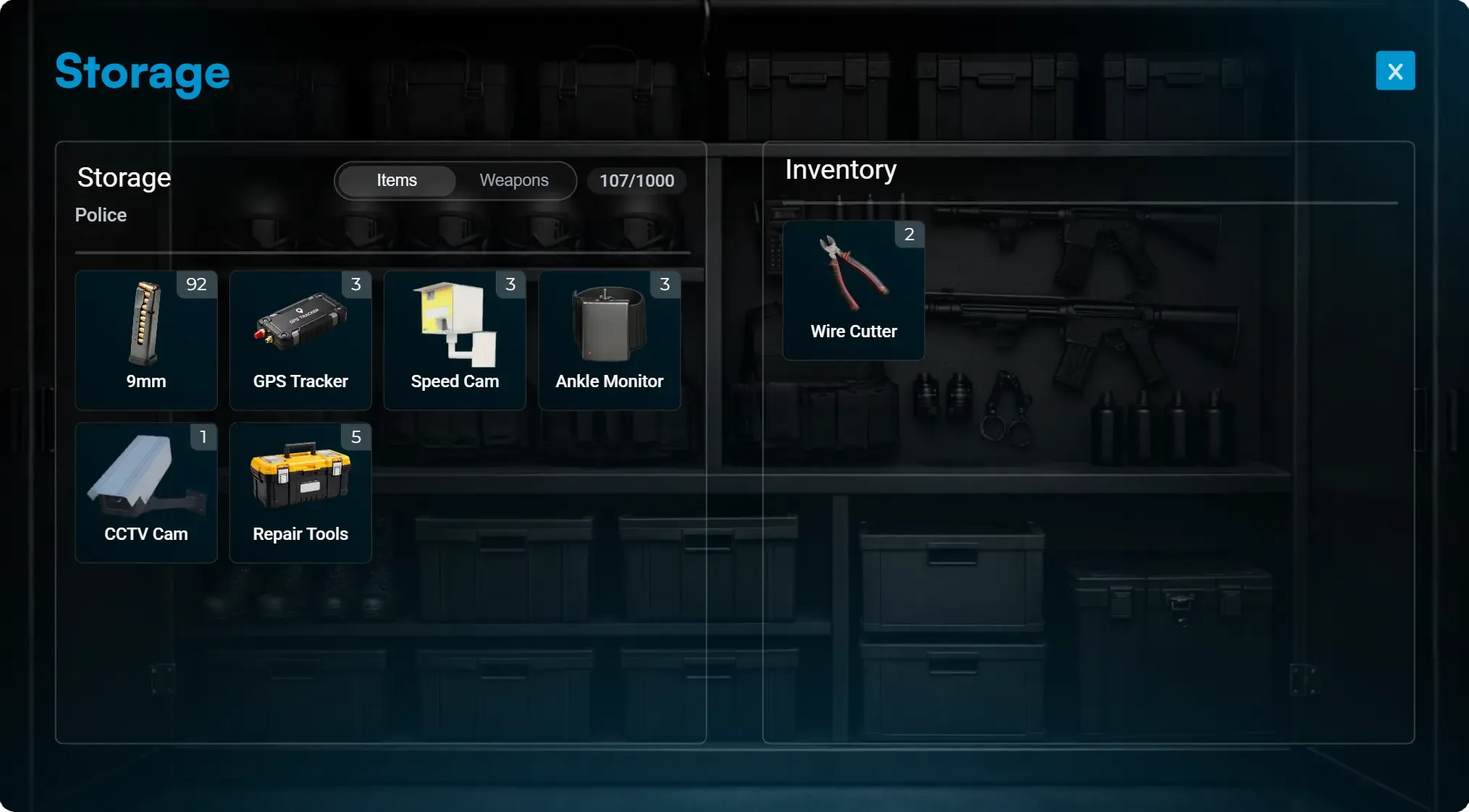
Storage & Supplies
Give police leadership full control over equipment, weapons, and operational supplies with organization storage, personal lockers, persistent vehicle trunks, and wholesale restocking.
- Leadership controls access to the main storage and can restrict weapons, ammunition, and gear to specific ranks, ensuring proper chain-of-command and authorization.
- Each officer has a private locker to store personal equipment, duty gear, or confiscated items securely between shifts.
- Police vehicles use a persistent trunk system so equipment placed inside remains saved and tied to that specific unit, even after server restarts.
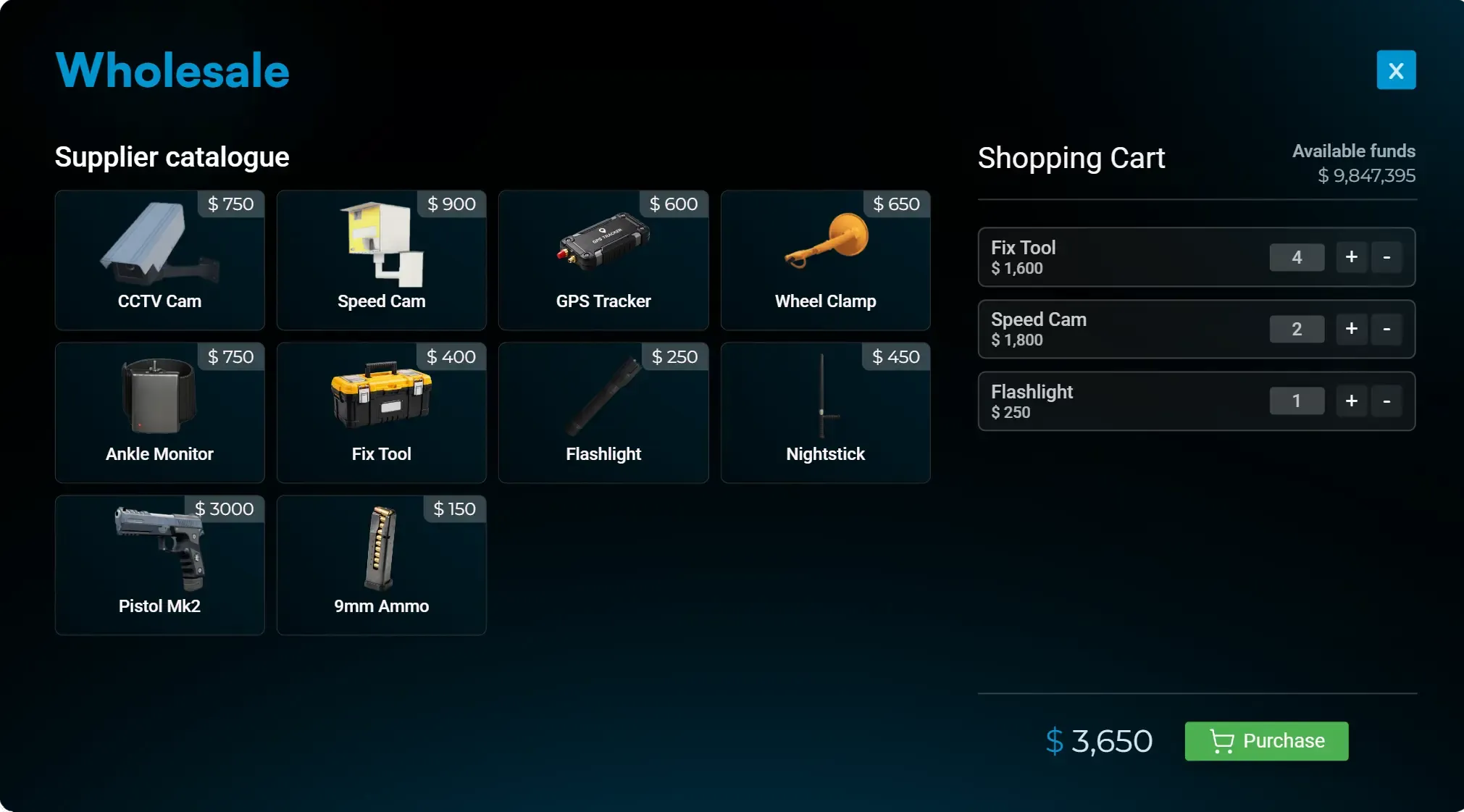
- Departments can use organization funds to purchase weapons, ammunition, and operational gear in bulk from the wholesale supplier.
Prop Placement
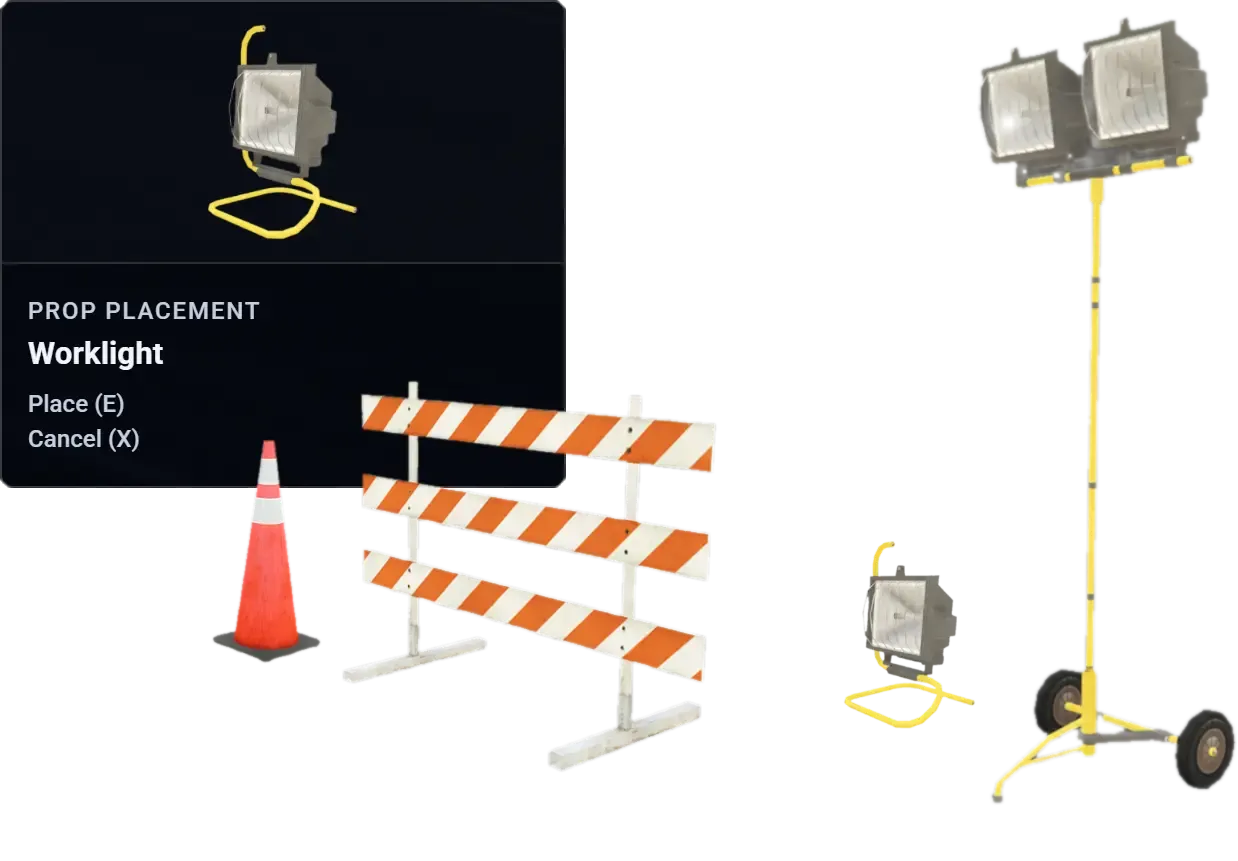
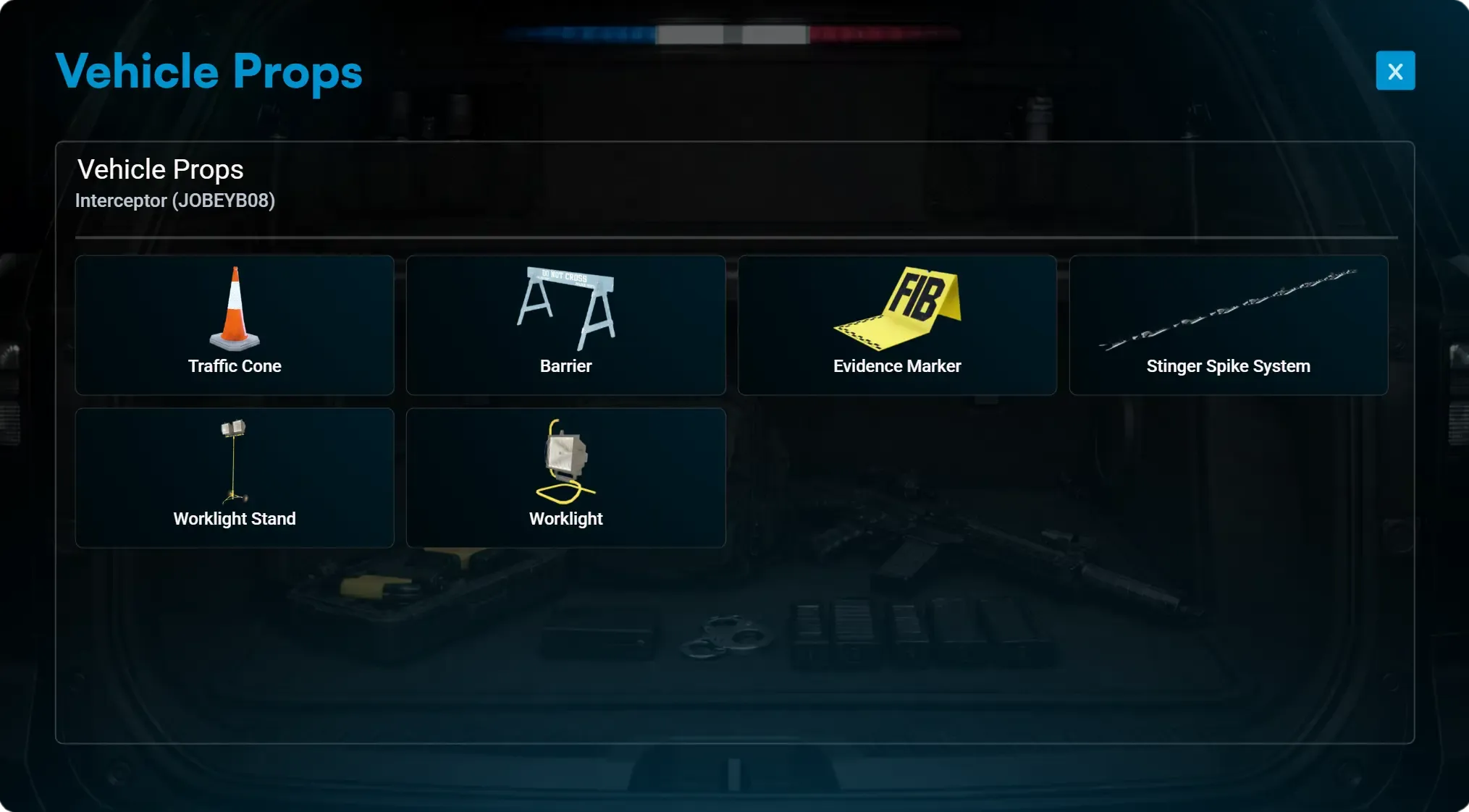
Give officers the ability to deploy police scene props directly from their vehicle trunk. A guided placement mode lets them preview, position, and spawn equipment precisely, while cleanup stays fast through the radial menu.
- Authorized staff can access a prop list directly inside the vehicle trunk UI and select which equipment or scene prop they want to deploy.
- After selecting a prop, a ghosted transparent preview appears in front of the player, allowing precise positioning before spawning it into the world.
- A compact HUD on the left shows the current prop name and keybind hints for confirming placement or canceling, ensuring fast and intuitive deployment.
- Placed props can be removed later using the radial interaction menu, giving staff full control over scene cleanup without admin intervention.
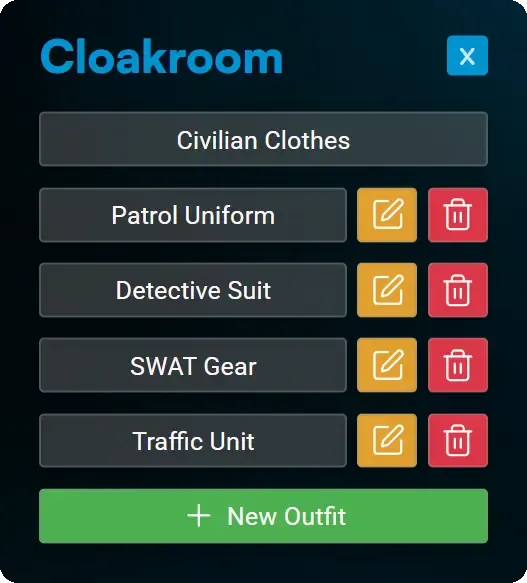
Cloakroom
ESX servers get a self-serve wardrobe system so outfits stay consistent and under leadership control.
- Use the boss menu to decide which roles can create, edit, or delete outfits in the cloakroom.
- Leadership designs the official uniforms or casual looks once and every staff member can equip them instantly.
- Only ESX servers get this built-in cloakroom; QBCore and Qbox crews keep using their own appearance scripts.
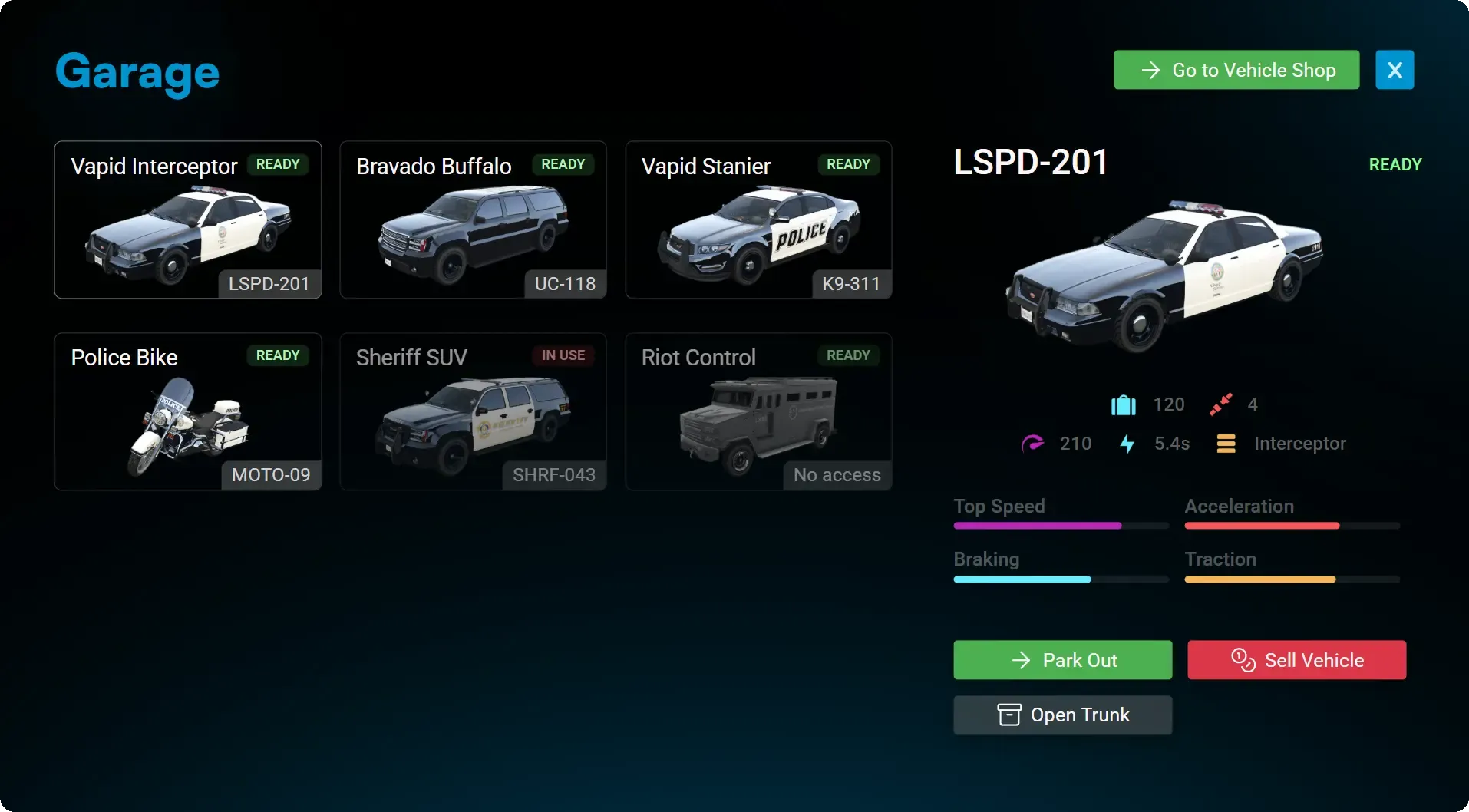
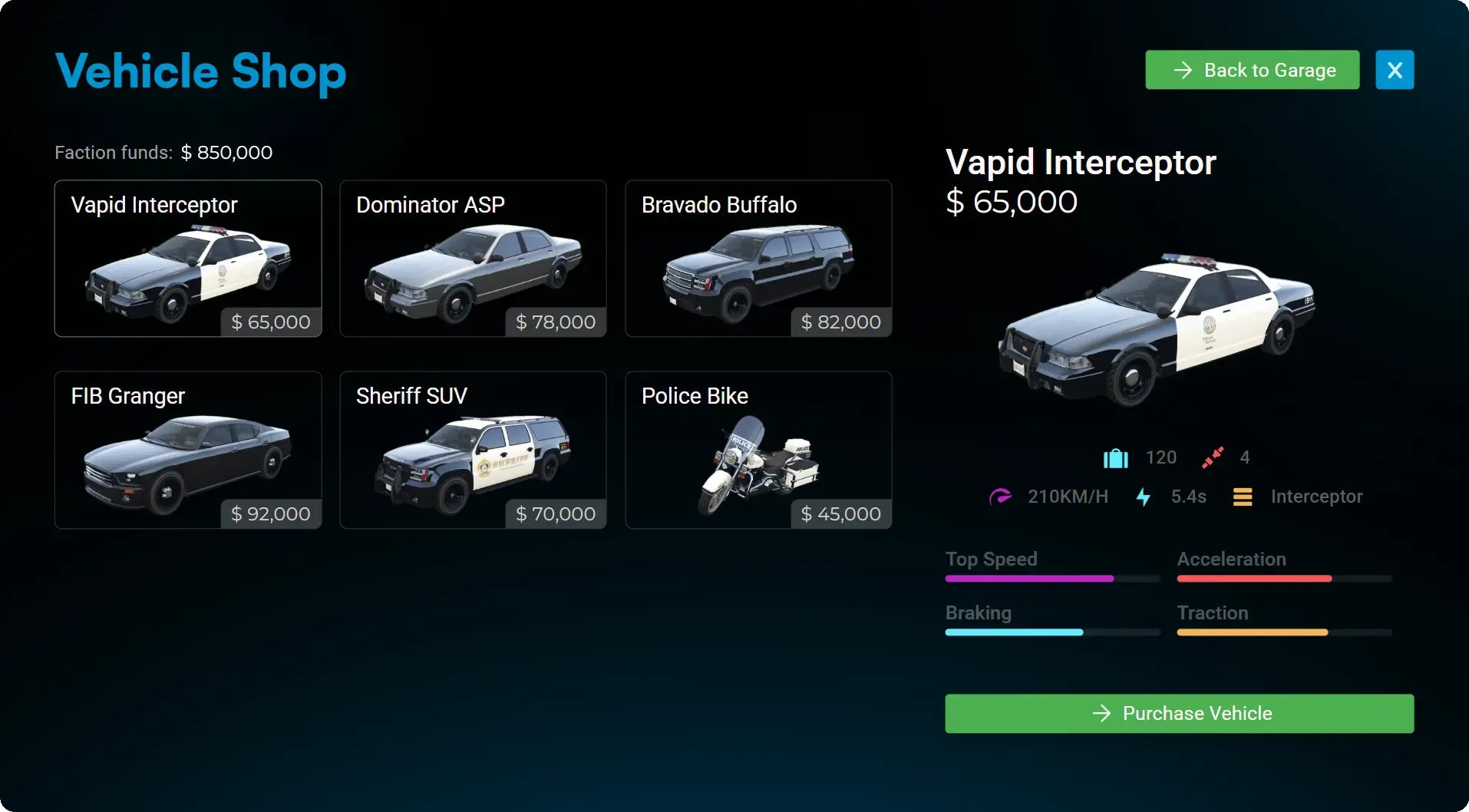
Garage & Vehicle Shop
Separate garages for ground and air units let leadership buy, store, and manage every fleet vehicle with persistent gear.
- Cars and helicopters live in their own garages so crews grab exactly what they need.
- Leadership spends organization money to buy a limited number of vehicles, keeping the fleet under control.
- Every job vehicle includes a trunk with storage that survives server restarts.
Monthly
Access the complete Police Job system with flexible monthly billing. Ideal for testing or short-term projects.
19.99 €
15.99 €
/month incl. VAT
- Full Access to All Features
- Lifetime Updates
- 24/7 Discord Support
Lifetime
Most PopularPay once, use forever. Best value for long-term servers or serious projects that want full control and peace of mind.
79.99 €
63.99 €
incl. VAT
- Full Access to All Features
- Lifetime Updates
- 24/7 Discord Support
Jobs Bundle
Best ValueGet Ambulance Job, Police Job, and Mechanic Job together in one discounted package for a complete core roleplay setup.
239.99 €
191.99 €
incl. VAT
- Ambulance Job
- Police Job
- Mechanic Job
Engineered for Performance, Security, and Ease
Our script combines high performance, security, and ease of use—everything you need to enhance your server and deliver a reliable, enjoyable experience for your players.
Ultra Low Latency
Designed for high performance with minimal ms impact, even on large servers with 300+ players.
Advanced Security
Automatic cheat detection, exploit-proof events, and server-side protections ensure a fair and secure environment.
Plug and Play
No coding required—just drag, drop, and configure. Designed for fast setup, so you can go live in minutes.
Guaranteed Compatibility
We guarantee the script will work on your server within 7 days—or we’ll refund you, no questions asked.
Detailed Documentation
Step-by-step documentation to help you set up, configure, and customize the script with ease.
Reliable Support
Need help? Our active Discord support team is here to assist you whenever you need it.
Feature Requests & Custom Integrations
At Sky-Systems, our goal is to create the best and most complete scripts possible. If you're missing a feature, add it to the Feature Voting Board so the community can upvote and help us prioritize what matters most. For custom integrations with systems not listed, open a ticket on our Discord and we'll review the best way to support it.
Supports All Major Frameworks
Our script is designed to work out of the box with the most popular frameworks. And thanks to open-source framework-related code, it's easy to adapt to any other framework.



Upgrade Your Police Department Today
Transform your server with the most advanced police system for FiveM. Install in minutes and give your players a truly immersive law enforcement experience.